
Connect your account
Connect your own LinkedIn once, when you are ready to send. Everything before that works without it.
You can do most of your work before connecting anything. Sign in, plan your outreach, and find and qualify people from public data with no account connected. You connect your own LinkedIn only when you are ready to send, at the real outreach boundary.
If you are just getting started, you do not need this page yet. Read getting started first, then come back here when you want to send from your own account.
Sign in to BeReach
Open chat.bereach.ai and sign in with Google or with your email. You can plan your outreach, find people from public data across the open web, and draft messages right away, with no account connected.
Planning and discovery never touch your LinkedIn. You connect an account only when you are ready to act.
Connect your LinkedIn account
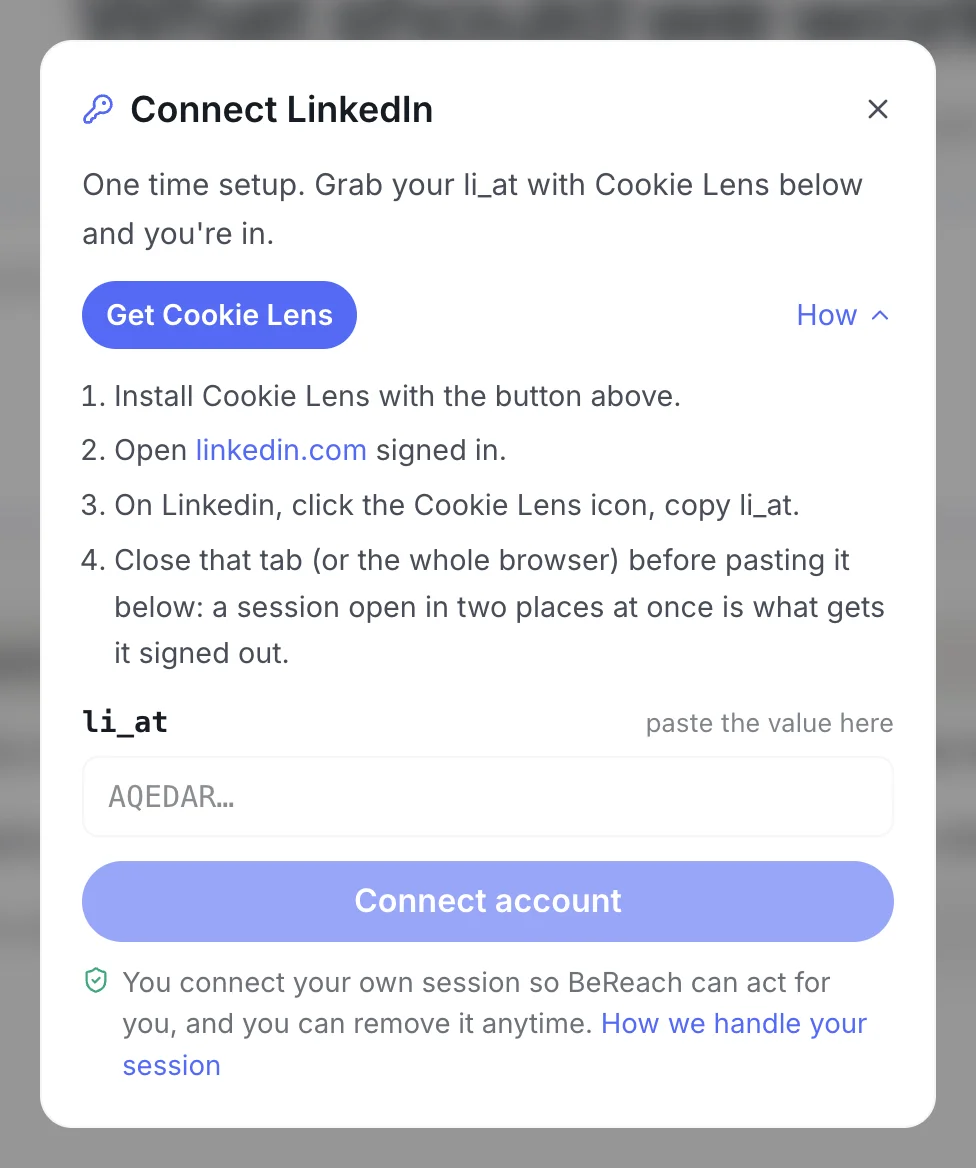
To let BeReach act through your own account, you copy your current LinkedIn session and paste it into BeReach.
- Make sure you are logged in to LinkedIn in Chrome.
- Open Cookie Lens and find the value named
li_at. - Copy that value.
- In BeReach, open the connect panel and paste it into the session field.
You paste one value, li_at, and the server sets up the rest of the connection for you. There is also a JSESSIONID field, but it is an advanced fallback that you rarely need.
BeReach installs nothing
BeReach runs entirely in the cloud at chat.bereach.ai. You never install anything to run it. Cookie Lens is a separate, read-only Chrome cookie viewer. Its only job is to show your own cookies so you can copy your li_at value. It never sends messages, scrapes, or acts on your behalf. That single paste is the only setup step.
Connecting from another device
When the LinkedIn account you want is signed in on a different browser or
device, or an assistant hands you a link, finish the connect on a page of
its own at chat.bereach.ai/connect/linkedin.
Same one field, same li_at paste, just reachable as a link instead of a
dialog inside a chat.
What connecting lets you do
Once your account is connected, BeReach can carry out account actions through it, like connection requests and messages. Every one waits for you.
BeReach drafts each message and lines up each action, then you review and approve. Approved messages send from your own account at a calm, steady pace. Nothing goes out that you have not seen and cleared.
Reconnecting when a session expires
LinkedIn sessions do not last forever. When yours expires, BeReach lets you know and pauses account actions so nothing fails quietly.
Reconnecting is the same short step: log in to LinkedIn again, copy the fresh li_at value, and paste it back into BeReach. Your chats, drafts, and history stay where they were.
Connecting more than one account
Depending on your plan, you can connect a second or third LinkedIn account and run outreach for each one separately. The steps are the same per account, and each account keeps its own approvals and pace.
Getting started
Find and qualify people before you connect anything.
Send your first messages
How drafts, approvals, and sending work.
Connect a second or third account
Add more LinkedIn accounts and keep each one organized.
That is it. Sign in, paste your session once, and start approving outreach that sends from your own account.