
Your ideal customer
Build a reusable ICP in a two-minute guided setup, watch it sort a real sample before you trust it, then reuse it whenever you want a fit judged.
Your ideal customer profile (ICP) is who you actually want to reach. In BeReach it is the yardstick you can measure any person against, whenever you want a fit judged. You build it once in a short guided setup, then reuse it. It all works with nothing connected.
What an ICP is
An ICP answers one question: who is worth your time? You do not write filters, boolean strings, or a long form. The agent learns your business, turns that into an ICP, and can use it to judge any person it finds from public data across the open web.
Build one, step by step
Start it from Tell me who a good lead is on the home screen. It opens a guided setup that runs in the chat, and it takes about two minutes.
Say what you sell
The agent asks how you want to describe your business. Paste your website and it reads the site itself, or describe it in your own words. The more concrete you are about the problem you solve and who buys it, the sharper everything after this step is.
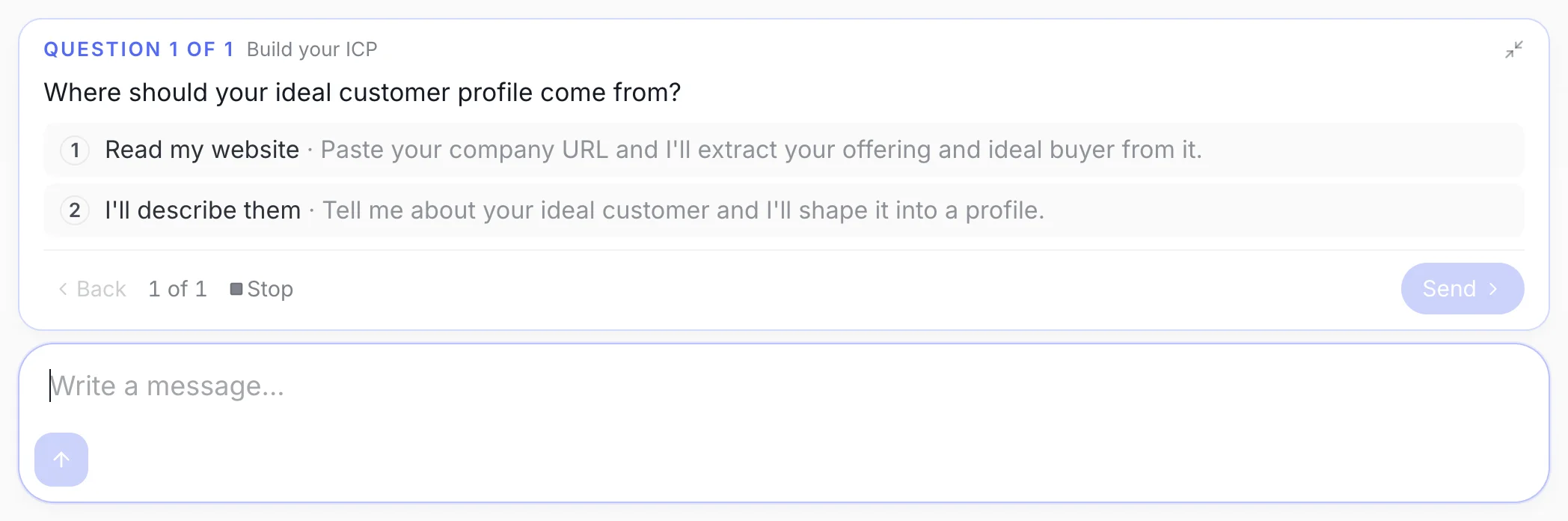
Step one. Two ways in, and a third row where you can type something else entirely. Pick from the profiles it proposes
The agent turns your answer into two or three named ICPs. Each one comes with who to look for and who to skip, so you are choosing between real positions rather than editing a form.
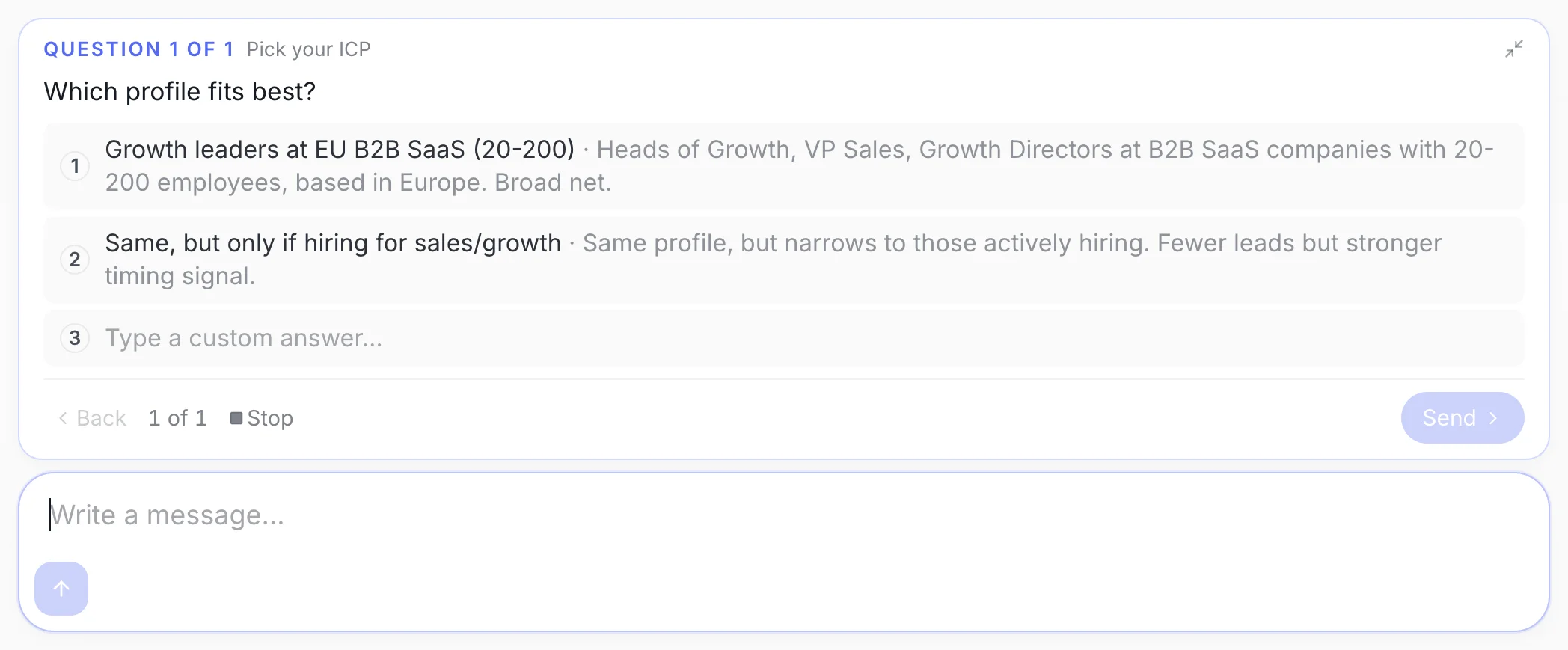
Step two. Each option names a different audience and states its own exclusions, so picking one is a real decision. Watch it run on real people
The one you pick is saved, and the agent immediately tries it on a small public sample. Every person comes back sorted into kept, set aside, or unconfirmed, each with a reason. Then it asks whether the split looks right and offers to tighten or broaden the profile.
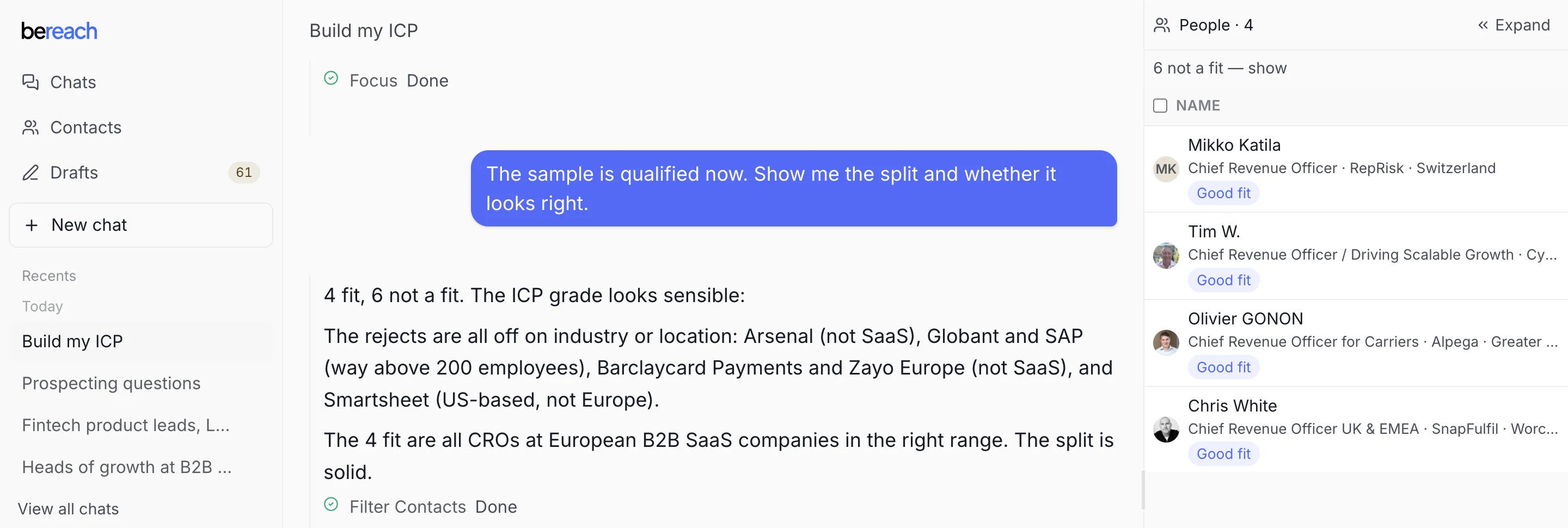
Step three. Real people, real verdicts, and the reasoning behind each one, before you build a list on top of it. Names are blurred here. In your workspace they are the real people it tested against.
You never hand-write criteria. You react to what the agent proposes, which is faster and usually sharper.
Some criteria cannot be checked on public data
Company size, headcount bands and internal structure are often not published, so a sample can come back with people marked unconfirmed rather than kept. That is the profile working correctly: it is refusing to guess. Connect an account when you want those checks resolved, or lean the profile on signals that are public, such as title, seniority and what someone posts about.
Where it lives afterwards
Everything the setup learned is saved under Settings → About you: what you sell, and the profile itself, listed by the name you gave it. What you sell is reused by every chat, which is why you only answer those questions once. The profile is kept there to be picked up again, so a later chat aimed at the same audience starts from it instead of rebuilding it.
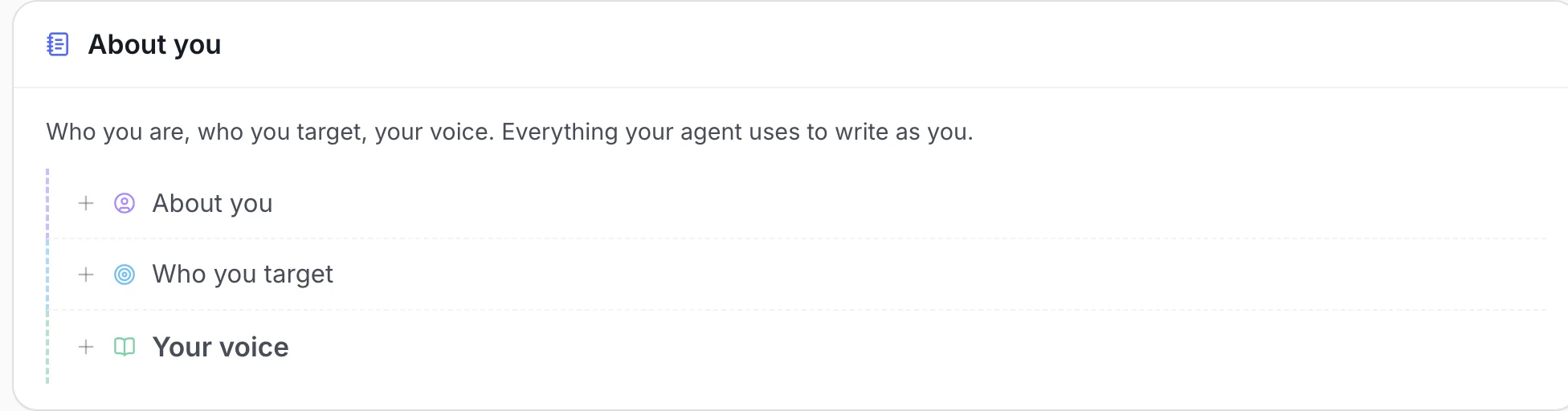
Do not overthink the first version
Your ICP does not have to be perfect on day one. The agent tunes it on a real sample so you can see how it behaves, and you refine it from there.
Reuse it across chats
Your ICP is not tied to one chat. Once you have a profile you like, it carries into new chats, and you can ask the agent to grade any list against it. Refine it as you learn what a good reply looks like.
If you would rather not grade at all, just ask the agent to find people. Everyone it finds lands on your list either way, graded or not, and you can reach out to anyone still on the list.
How the agent uses it
When you ask for grading, the agent measures each person against your ICP. It reads what is public about the person and their company, weighs it against your profile, and gives you a short reason either way. People it judges a match are marked Fit. People it judges a mismatch are marked Not a fit and removed from your list.
Grading is a filter you choose, not a requirement. You can reach out to anyone still on your list, graded or not, and you still review and approve every message before it goes out.