
Reach out and handle replies
Connect an account, approve one first-touch message per person you pick, and handle the replies that come back. Every draft is yours to approve before anything sends.
This step needs a connected account
Finding and qualifying people works with nothing connected. To actually send, first connect an account.
Up to this point the agent has been working on public data. Once you have a list you like, graded or not, you connect an account and start reaching out. Every message is a draft you approve before it goes anywhere.
What the agent sends
Today the agent sends one first-touch message per person you pick.
If you are not connected to someone, the agent queues a bare connection invite first, with no note. Once they accept, you get a first message to approve. If you are already connected, it skips the invite and goes straight to the first message.
That is the whole flow. There are no automated follow-ups, no drip sequences, and no auto-replies. You reach out once, then you handle the conversation yourself.
You approve every draft
Nothing sends on its own. The agent writes each message and it sits as a Draft. You read it, edit it if you want, and approve it. Only then does it leave your account.
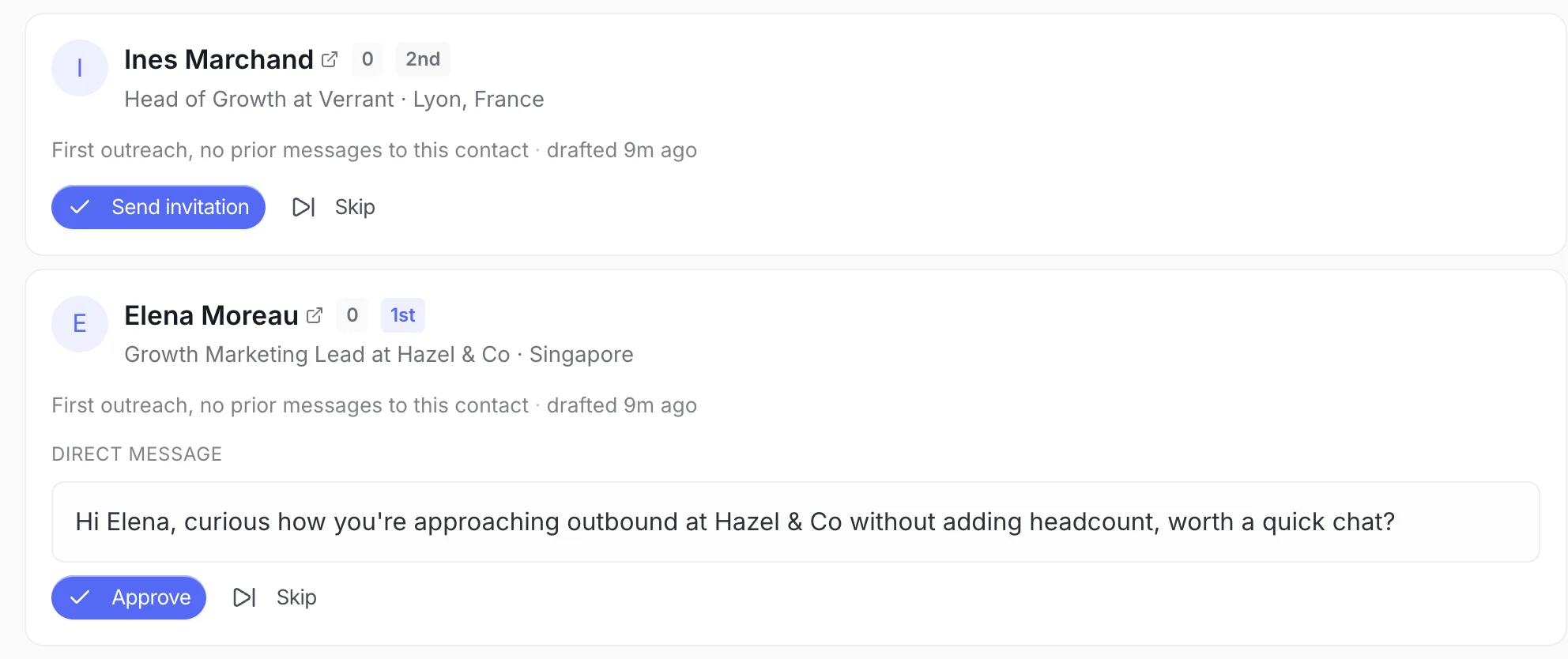
Work starts when you ask the agent to reach out and you approve the first drafts. There is no save step and no toggle to flip.
Approved messages pace out
The first approved message leaves your account about a minute after you approve it. Each one after that follows 4 to 10 minutes later, inside your sending window (08
to 20, weekdays), so your account stays safe. You do not send a batch all at once.See usage limits for the daily caps, and what happens to a person for how long each wait actually is.
How to read replies
Replies land in your inbox. You handle them. There are no auto-replies today, so nothing goes back to a person unless you write it and send it.
When someone responds, it helps to read what they are really saying before you answer:
| What came back | What it usually means |
|---|---|
| Interested | They want to keep talking. Reply and move toward your goal. |
| Question | Answer it plainly, then point to the next step. |
| Objection | Address the concern honestly instead of pushing past it. |
| Meeting request | Send a couple of times and get it booked. |
| Not interested | Thank them and leave it there. |
If you want a second read, ask the agent in this chat to look at a thread and suggest an angle. The reply you send is still written and approved by you.
Already connected people
Bring people you already know into a chat and the agent notices. It skips the invite and drafts a first message straight away, so you do not spend an invite on someone who is already a connection.
One thread per person
Each person gets one outreach thread. If another chat turns up the same person, they will not get a second first touch, so nobody hears from you twice by accident.
What's next
- Connect an account - Paste your session cookie to start sending
- Usage limits - Daily limits and pacing
- Advanced lead gen strategies - Find higher-quality people to reach