
What happens to a person
Every person the agent finds walks the same path, from found to replied. Here is the whole path, what each step waits on, and every place a person can stop.
Most questions about BeReach are really one question: where is this person right now, and what is holding them up? Everyone the agent finds walks the same path, so once you know the path you can answer that yourself.
The path
| Step | What happens | What it waits on |
|---|---|---|
| Found | A source turns up someone and they become a contact on your list | Nothing, this runs on public data |
| Read | The agent reads their public profile properly | Nothing connected |
| Fit or not a fit | Optional. If you ask for it, they are measured against your ideal customer and get a written verdict | Your ICP existing, and you asking |
| Drafted | The agent writes the opening message, or queues a bare invite if you are not yet connected | Your voice |
| Approved | You read the draft and clear it | You |
| Invited | A bare connection invite leaves your account | A connected account |
| Accepted | They accept, and the message you approved is unlocked | Them |
| Messaged | The first message sends | Pacing |
| Replied | They answer, and it lands in your inbox | Them |
Not everyone goes the whole way, and that is the point. Grading is a side step you can take or skip: everyone in your list can be reached whether or not they were ever graded. The path is the same for everyone, so a person who stops is a person you can locate.
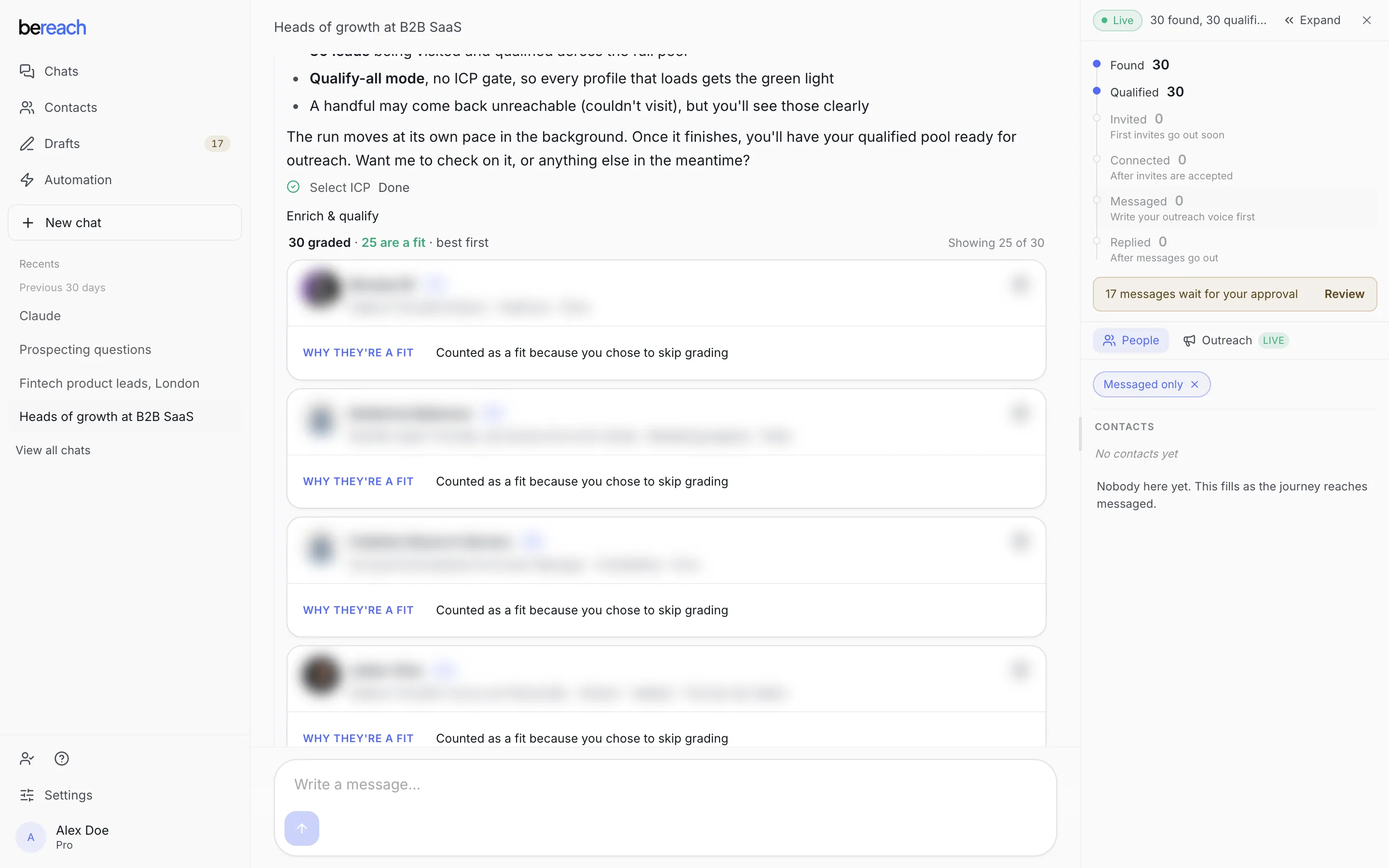
Identities are blurred in this screenshot. In your own workspace they are the real people the agent found.
Two things are being tracked, not one
This trips people up more than anything else. BeReach tracks a person on two independent axes.
| Axis | Values | What it answers |
|---|---|---|
| How they were judged | Ungraded, Fit, Not a fit | Is this someone worth your time? Only set if you asked for grading. |
| Where the conversation is | Nothing yet, Invited, Connected, Chatting | Have you actually spoken? |
They move separately. Someone can be Fit with nothing sent, because qualification runs on public data and sending needs your connected account plus your approval. That combination is normal, not a fault.
Where a person stops
- Not a fit. Graded and judged a mismatch. Removed from your list and never contacted. The reason is written down, and you can overturn it.
- Already yours. They are already in your contacts, so they are skipped rather than started again.
- Already in a thread. Each person gets one outreach thread. If another chat turns up the same person, they do not get a second first touch.
- Waiting on them. An invite has gone and they have not accepted yet. The message is written and waiting behind it.
- Waiting on you. The draft is sitting in Drafts. Nothing moves until you approve it.
- Unreachable. Their profile could not be read. They come back marked rather than silently dropped.
How long each wait takes
Nothing here is instant, and none of it is broken.
| Wait | How long |
|---|---|
| The first approved invite or message leaving your account | About a minute after you approve it |
| Each invite after that | 3 to 5 minutes apart, between 13 and 18 in your own time zone |
| Each message after that | 3 to 5 minutes apart, inside your sending hours (08 to 20 on weekdays unless you change them) |
| Noticing that someone accepted your invite | Within 30 minutes on an invite sent in the last day, within a few hours on an older one |
| Noticing a reply | Within about 15 minutes |
| A daily limit clearing | The next day |
Pacing is the feature
The gaps above are what keep your account looking like a person rather than a script. Batches that leave all at once are the single clearest automation tell, so BeReach never sends one.
What pauses the work, and what resumes it
| Cause | What stops | What still runs |
|---|---|---|
| Your session expires | Invites and messages | Finding and qualifying, which never needed your account |
| A daily limit is reached | Only that one action | Every other action |
| Your plan ends | Anything acting through your account | Your workspace and history stay |
Hitting a daily limit pauses that action alone. Running out of connection requests does not stop the agent from finding and qualifying people.
Most of it resumes on its own. A daily limit clears the next day. An expired session resumes the moment you paste a fresh one. Nothing you already approved needs approving twice.
Where to look for each step
| Question | Where to look |
|---|---|
| Who has the agent found? | Contacts, or the People panel beside the chat |
| Why was this person kept or dropped? | The person's row, or the chat that found them |
| What is waiting for me? | Drafts |
| Did my invite get accepted? | Connections |