
Where things live
A map of the app: what each place in the left rail is for, and which one answers which question.
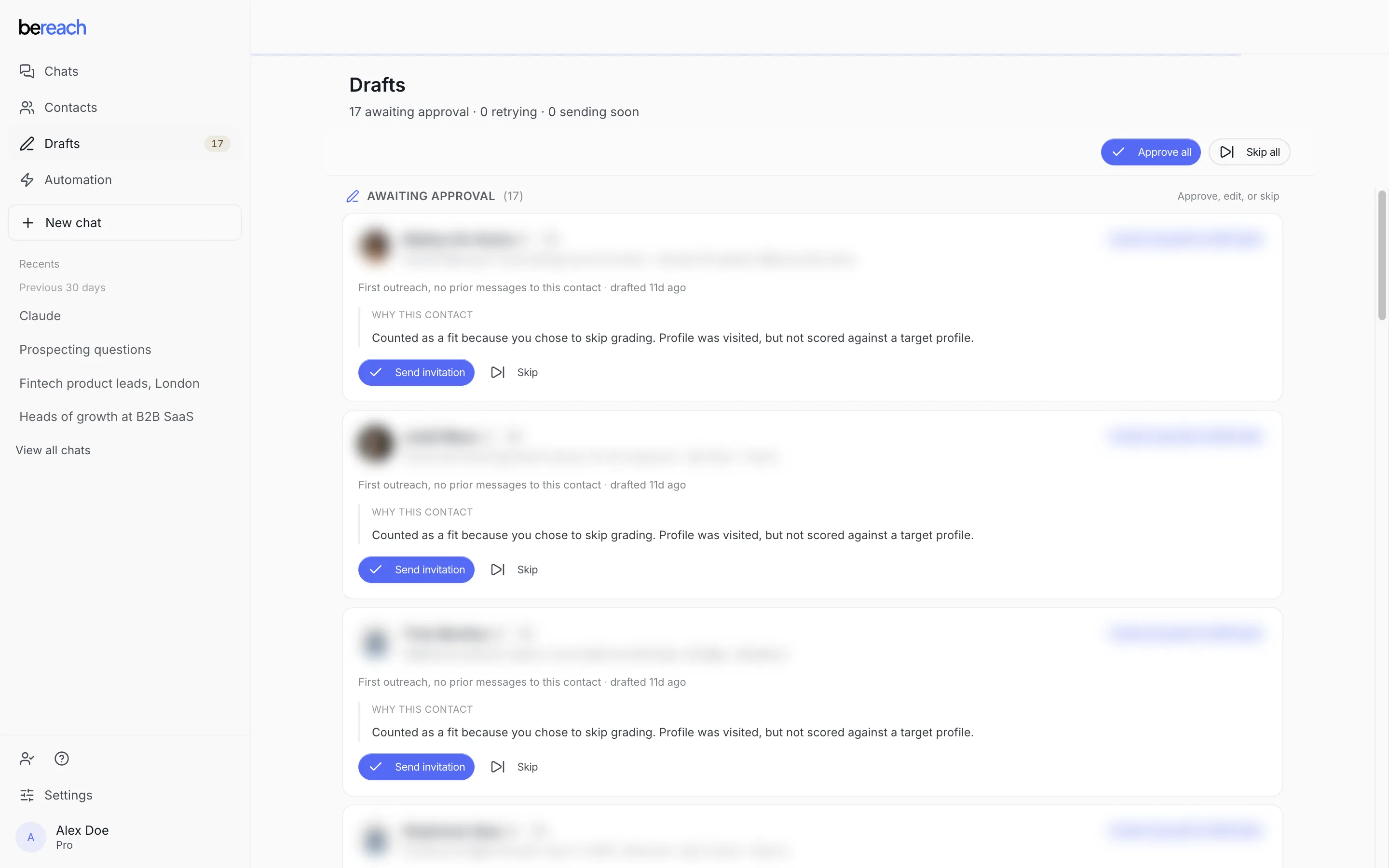
BeReach is one page with a rail down the left. Five places, each answering a different question. If you know which question you are asking, you know where to click.
The rail
| Place | What it holds | Go here when |
|---|---|---|
| Chats | Every conversation with the agent, searchable, renamed and deleted here | You want to start work, or open work you started |
| Contacts | Everyone your chats have found, with their fit and their outreach status | You want to look someone up, or see the whole list |
| Drafts | Every message and invite waiting for your approval | You want to know what is waiting on you |
| Connections | Invites you sent, and the ones that were accepted | You want to know whether an invite landed |
| Settings | Your connected accounts, About you, plan, usage, and the Claude connector | You want to connect, change, or check an account |
About you, reached from Settings, is the one that is easy to miss. It holds what the agent knows about your business, and every ideal customer profile you have saved, so you describe yourself once and pick a target audience per chat rather than writing it out again. How your messages sound is set per chat, not here, because the right tone changes with the audience.
The canvas: the People panel beside the chat
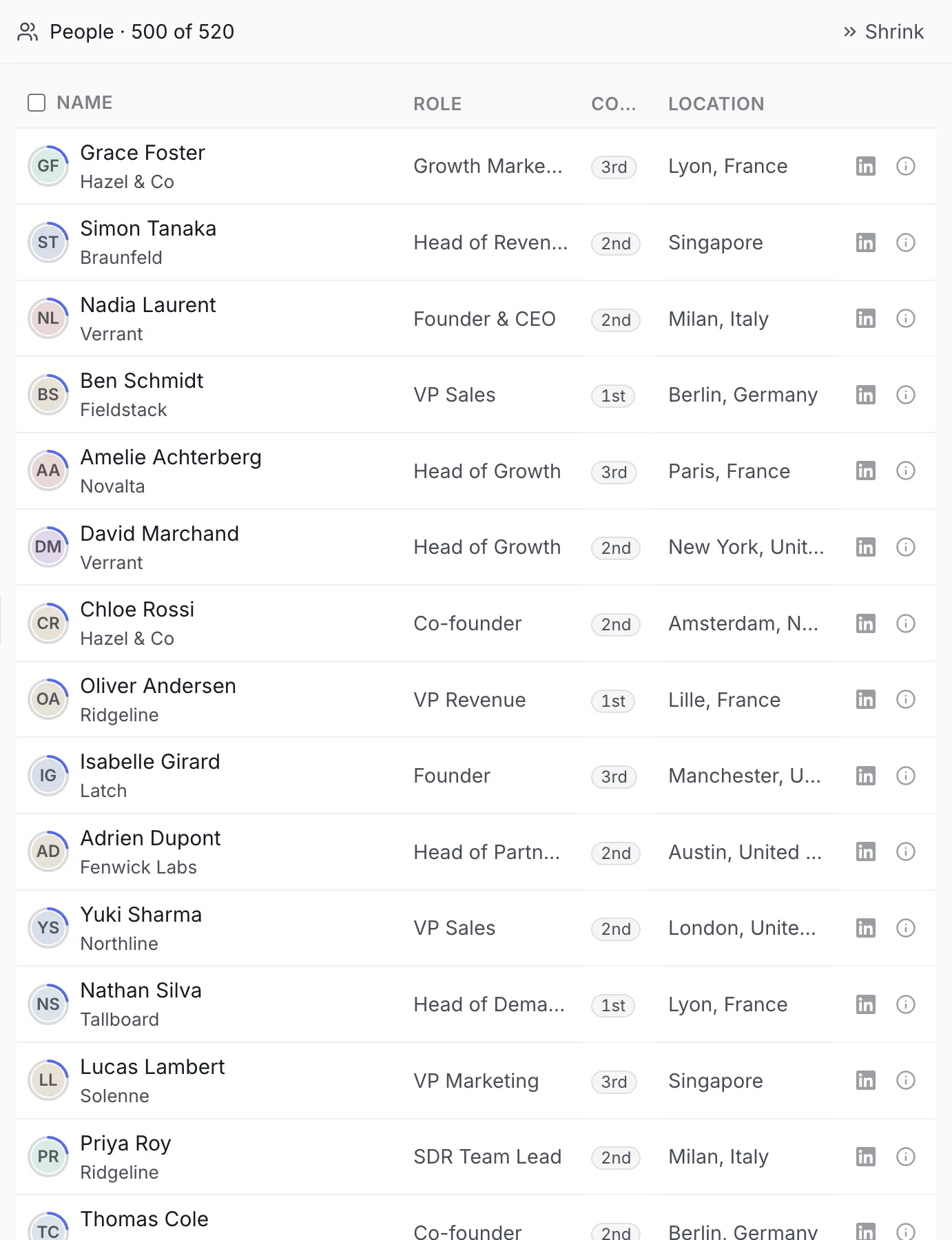
A chat that has found people shows them beside the conversation, not just in Contacts. This panel is where you pick who to reach: select rows and choose Connect, Qualify, Discard, or Export. It is not in the rail because it lives inside the chat that built it, not as a page of its own.
The filters that matter
Each list narrows the same way, by the question you are asking.
| List | Filters | What they mean |
|---|---|---|
| Contacts | All, Invited, Connected, Chatting | Where the conversation is, not whether they were a good fit |
| Drafts | Awaiting approval, auto-retrying, sending soon | Awaiting approval is the only one that is waiting on you |
Contacts filters on the conversation, not the fit. Someone can be a strong fit and appear under none of Invited, Connected or Chatting, because nothing has been sent to them yet. The two are tracked separately on purpose.
The counts you will see
- Drafts carries a number. That is how many things are waiting for your approval. It is the only badge that is a to-do list.
- A chat still working shows a pulsing dot in the Chats list, tooltipped "Working on this now."
You do not have to navigate
Anything on this page can be asked for in the chat instead. "Show me who is waiting for approval" and clicking Drafts land in the same place.