Say one of your posts about a hiring freeze catches: 380 reactions and 60 comments in two days, most of them from the operations and finance leaders you actually sell to. In public, hundreds of your best-fit buyers just raised a hand at the same moment. The whole game now is getting that list off the screen and into a spreadsheet without the export itself becoming the risk.
The reflex is to search for a LinkedIn post scraper Chrome extension, and the results are almost all the same shape: a Chrome Web Store listing or a GitHub repo that installs an extension, runs inside your logged-in LinkedIn tab, scrolls the engagement panel, and dumps a CSV. It works. It is also the one architecture that puts your own account most directly in the line of fire, because the code runs as you, from your session, in your browser.
This guide takes the opposite route. Here are five ways to export the people who liked or commented on a post without installing anything into your browser, sorted by the only question that actually predicts risk: where does the code run, and whose account is it using when it runs?
The one question that sorts every method
Strip away the branding and every tool that hands you a list of post engagers is built on one of three architectures.
- Your browser, acting as you. A browser extension executes inside the tab where you are logged in. It reads what you can read, from your IP, using your live session. Convenient, and the most exposed.
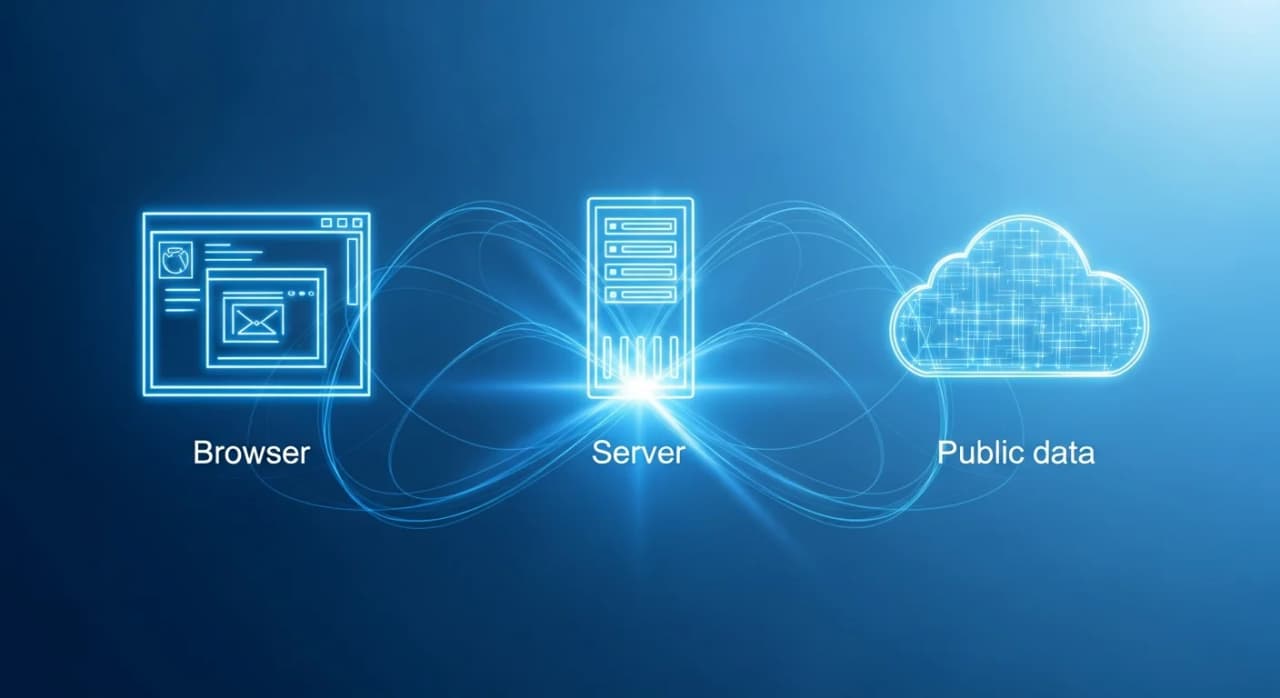
- A server, reading public data. The engagement on a public post is publicly readable, so a server can fetch it the same way a logged-out visitor can. Nothing of yours is connected, so there is nothing of yours to expose.
- LinkedIn itself. The official partner APIs. Worth naming because people assume it is an option, and for post reactions it is a dead end. LinkedIn does not expose the reaction or comment list of an arbitrary post to third-party developers.
The five methods below are all in the first two families and none of them use an extension. Here they are on the axis that matters.
Every row that reads "No" under session is a method that never touches your account. That column is the whole point, and it is the column the extension listicles do not have.
Why a browser extension is the riskier architecture
An extension is not risky because it is low quality. Plenty are well built. It is risky because of where it sits. It runs in the same tab as your authenticated session, so from LinkedIn's side there is no clean line between you scrolling a post and the extension scrolling it for you. The requests come from your browser, your IP, your cookies. When the extension scrolls an engagement panel faster and longer than a person would, that behaviour is attributed to your account, because as far as the server can tell, it is your account.
The distinction that matters is not extension versus cloud tool. It is "acts as you" versus "reads public data." A browser extension and a cloud dashboard that you paste your session cookie into are the same architecture wearing different clothes: both replay your logged-in identity to pull data at machine speed. A server reading a public page does neither.
There is a second, quieter cost. An extension has to be granted permission to read and change data on LinkedIn pages, and some ask for far more than the job needs. A server reading a public URL asks for none of it.
None of this means the export is forbidden. Reading a public post breaks no rules. It means the export method you pick decides whether the account doing the reading is a throwaway server or the LinkedIn profile you actually send from.
The five ways, walked through
1. Read the reactions panel by hand
Open the post, click the reaction count or the comment count, and scroll the panel that appears. This is free, it uses nothing but your own eyes, and for a post with thirty engagers it is genuinely the right answer.
It stops scaling fast. The panel lazy-loads names in small batches, there is no export button, and there is no filter. Past a few hundred engagers you are hand-copying names into a spreadsheet with no dedup, so anyone who both liked and commented lands in the list twice, and you cannot sort by job title before you copy. Good for a quick look, useless for a real list.
2. Use a public engagement finder
Because a public post's engagement is publicly readable, a finder can take the post URL and return the people from a server, with nothing of yours connected. This is the sweet spot for most cases: it exports, it filters, and the account risk is zero because there is no account in the loop.
- Copy the full post permalink. Open the post on its own page and copy the address bar, not the shortened share link.
- Paste it into the finder. The free LinkedIn likes finder returns the people who reacted; the comments finder returns commenters, which are the stronger signal.
- Do not have the URL yet? The free LinkedIn posts finder surfaces posts by keyword or author so you can grab the permalink first.
Time to a clean list: a couple of minutes. Account risk: none, because nothing is connected. For the longer comparison of every liker-export route on this same axis, see how to export LinkedIn post likers.
3. Pull from a data marketplace or actor
Marketplaces and hosted scraping actors run the fetch on their own cloud, on their own infrastructure. When they operate on public data and never ask for your session, the risk to your account is none, because your account is never involved. This is the reasonable version of the third-party route.
The caveat is upstream, not on your account. Some operators pull at a scale and by means that attract LinkedIn's own enforcement, which is a different question from your personal exposure. In July 2025, Proxycurl, one of the largest LinkedIn data APIs, shut down after LinkedIn sued its operator for spinning up fake accounts to scrape profiles in bulk; the operator's exposure was total, while its customers simply lost a data source overnight. If the tool asks you to paste your session cookie so it can act as you, it has quietly moved back into the "acts as you" family and you should treat it like an extension.
4. Call a server-side API with your own key
If you are technical, the cleanest export is programmatic. A server-side API takes a post URL and returns structured engagers, running on infrastructure that is not your browser and never carrying your logged-in session. BeReach exposes 135 API operations behind a single key, so you can request public post engagers straight into your own pipeline rather than copy-pasting from a panel. Details are on the BeReach API page.
This is the same public-data architecture as method two, just automated and built into your stack. Zero account exposure, full control over the output shape.
5. Hand it to an AI agent through an MCP connector
The newest option is to not do the export yourself at all. BeReach is an AI agent that finds, qualifies, and drafts B2B outreach you approve, and its 33-tool MCP connector runs inside Claude, so you can ask in plain language for the engagers on a post and get a qualified list back.
What makes this the lowest-exposure route is the design. Pulling those 380 engagers off the hiring-freeze post, filtering them down to the operations and finance leaders who fit, and drafting each opener all run on public data with nothing connected. A LinkedIn session is required only at the real send boundary, when you approve the messages, and not one step before it. BeReach calls this "cookieless until outreach," the opposite of the extension model, where your session is engaged from the very first scroll of the panel. The wider case for skipping the browser layer entirely is in LinkedIn outreach without a browser extension.
Exporting is the easy half
A list of 400 names is not 400 leads. Whichever of the five methods you use, the export is the cheap part, and the qualification is what decides whether the hour was worth it.
Reactions are a weak signal on their own. A like costs nothing and often means "I read the first line." Comments cost effort, so they carry more intent. Neither tells you the person has a problem you solve. Two filters do most of the work: fit, meaning does this person match who you actually sell to, and post relevance, meaning did they engage with a post about the problem you solve or just a viral post about hiring.
The payoff shows up in reply rates. Belkins, analyzing 15.1 million LinkedIn outreach touchpoints from 2025, found messenger campaigns to people you are already connected to reply at 12.2 percent, against 7.9 percent for cold connector campaigns. That gap is real, but it evaporates if "warm" only means "clicked something once." The qualification step is what turns an engagement export into a prospect list.
Every viral post is 100+ warm conversations waiting.
Tell your agent who you want to reach. It finds leads, qualifies them, sends personalized outreach, and follows up.
Where the compliance line sits
Reading a public page is not the same as automating your account, and the two get conflated constantly. The short version: public data is public, and the enforcement action of recent years has landed on bulk resale of profile data and on tools that operate accounts at machine speed, not on someone reading a post.
That is exactly why the architecture you pick matters more than the feature list. A server reading a public URL sits on the safe side of that line by design. An extension or a cookie-holding dashboard operates your account, which is the behaviour enforcement actually looks for. The full picture, including what the Proxycurl shutdown and the hiQ litigation established, is in the LinkedIn data compliance guide.
Can you export LinkedIn post engagers without a Chrome extension?
Yes. A public post's likers and commenters are publicly readable, so a finder, a server-side API, or an AI agent can retrieve them without installing anything into your browser and without using your logged-in session. The manual reactions panel also works with no extension, though it does not export.
Is a LinkedIn post scraper extension safe for my account?
It is the most exposed option, not because of quality but because of where it runs. An extension executes inside your authenticated tab, so its activity is attributed to your account and your IP. A server reading a public page never touches your account, which is why it carries no such risk.
How do I get post engagers without connecting my LinkedIn account?
Paste the post URL into a public engagement finder, or ask an AI agent that works on public data. Both read the engagement the same way a logged-out visitor would, so nothing of yours is connected. BeReach runs find, qualify, and draft entirely on public data and only needs a session at the actual send step.
Is there an official LinkedIn API for post reactions?
No. LinkedIn's partner APIs do not expose the reaction or comment list of an arbitrary post to third-party developers. Any guide telling you to use the official API for this is describing something that is not available, which is why the practical routes all read public pages instead.
Are likers or commenters the better list to export?
Commenters, in almost every case. Commenting costs visible effort and usually reveals something about the person's view, giving you both a stronger intent signal and a better opening line. Liker lists are longer but weaker, so filter for fit and post relevance before you write to anyone.