Say you sign up for a cloud LinkedIn tool on Monday, paste your session cookie into its dashboard, and close your laptop for the week. By Friday the tool has viewed 400 profiles, sent 100 connection requests, and messaged dozens of people, all from a data-center IP in a country you have never worked from, all attributed to you. You never opened your browser. In LinkedIn's eyes you still did every one of those actions, because the tool was replaying your logged-in identity from a rented server the whole time.
That is the trap in the usual "extension versus cloud" advice. Search "LinkedIn outreach without browser extension" and almost every result sorts tools into two buckets: browser extensions on one side, cloud tools on the other, with cloud framed as the safe upgrade. That split is half right and it hides the part that actually matters. A cloud dashboard that you paste your LinkedIn session into is not safer than an extension in the way that counts. It is the same behaviour, run from a different machine.
The question that predicts risk is not "extension or cloud." It is where the code runs and whose account it is using when it runs. There are only three answers, and once you sort tools by that axis, the whole category looks different. Here are six ways to do LinkedIn outreach without a browser extension, lined up on the one column the listicles leave out.
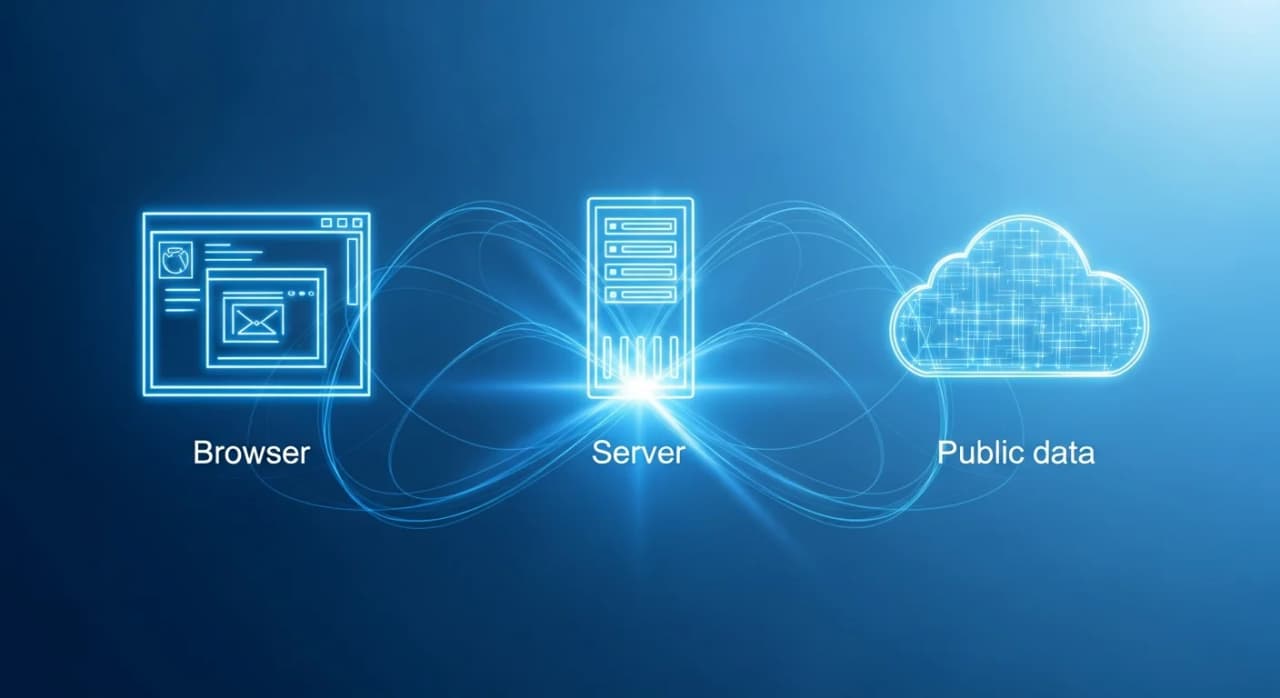
The three places outreach code can run
Strip the branding off any LinkedIn tool and it sits in exactly one of these three architectures.
- Your browser, acting as you. A browser extension or a local desktop app executes inside the session where you are logged in. It reads what you can read, from your IP, on your cookies. The activity is indistinguishable from you, because from LinkedIn's side it is you.
- Their server, replaying your cookie. A cloud tool takes your LinkedIn session (often by asking you to paste a cookie or connect an account) and runs it from their infrastructure, usually behind a dedicated IP. Your browser is out of the loop, but your logged-in identity is still doing the work. When the pace looks robotic, it is still attributed to your account.
- Public data, touching nothing. Some of the work (finding people, reading public posts and companies, drafting a message) needs no logged-in session at all, because the data is publicly readable the way a logged-out visitor reads it. Nothing of yours is connected, so there is nothing of yours to expose. A session is only unavoidable at the final step: actually sending from your account.
The first two families both operate your account. The third only operates your account at the send boundary and nowhere before it. That is the line that matters, and it cuts straight through the middle of the "cloud is safer" narrative.
Six tools, sorted by where they execute
Here are six ways to run LinkedIn outreach without installing anything into your browser, placed on the axis that predicts account exposure. This is the table worth screenshotting.
Read the last column top to bottom. Five of the six put your account in the loop from action one. The tools differ in polish, pricing, IP hygiene, and whether the code runs on your machine or theirs, but on the exposure axis those first five collapse into one shape: every one of them operates your account, and only the sixth changes the shape of the risk rather than the quality of the execution. For a fuller ranking on exactly this dimension, see the best LinkedIn outreach tools ranked by account access.
The real distinction is not extension versus cloud. It is "acts as you" versus "reads public data." A browser extension and a cloud tool you paste your session cookie into both replay your logged-in identity to work at machine speed. Moving that from your laptop to a rented server changes the return address, not the behaviour LinkedIn's systems are watching for.
Browser-family tools: convenient, most exposed
Dux-Soup runs as a Chrome extension inside the LinkedIn tab where you are logged in. LinkedHelper is a desktop application rather than a Chrome extension, so it technically clears the "no browser extension" bar, but it runs LinkedIn in its own built-in browser engine on your machine, using your session and your home IP. Both belong to the same family: the automation acts as you, from your address.
That is what makes them easy to set up and the most directly exposed. There is no clean line between you clicking through profiles and the tool clicking through them for you. When it visits, invites, or messages faster and longer than a human would, that behaviour lands on your account because the server cannot tell the difference. The IP is yours too, which is why a laptop that sleeps overnight or switches networks can make the activity look even stranger.
None of this makes them fraudulent. Both are well engineered. It means the account doing the risky part is the LinkedIn profile you actually care about.
Cloud-family tools: your cookie, someone else's server
Expandi, HeyReach, and now Waalaxy are the tools the "no extension" listicles usually recommend. Waalaxy is the clearest illustration of the shift: it retired its Chrome extension in 2026 and moved fully to the cloud, so the tool most people still picture as an extension is now a server replaying your session. All three share one genuine improvement: your browser is no longer in the loop, so you can close your laptop and the campaign keeps running. Expandi runs each account behind a dedicated country-based IP, which makes the traffic look more consistent than a laptop hopping between coffee-shop networks.
But look at where the session lives. These tools hold your LinkedIn cookie and replay it from their cloud. That is still your logged-in identity doing the visiting and inviting, just from a rented address instead of yours. A dedicated IP reduces one specific signal (an account suddenly appearing from a data-center range or a wildly inconsistent location). It does not change the fact that your account is the one performing thousands of actions. The safest thing you can do inside this family is respect conservative pacing, which is the same advice that applies to every tool that operates your account. The safest LinkedIn outreach tools guide walks through what "conservative" actually means in numbers.
Public-data tools: nothing connected until you send
The sixth row is a different architecture, not a nicer version of the first five. BeReach is an AI agent that finds, qualifies, and drafts B2B outreach you approve, and the design choice that sets it apart is where the session sits.
Finding people, reading public posts and company pages, scoring fit, and writing the first draft all run on public data with nothing of yours connected. A LinkedIn session is required only at the real send boundary, and not one step before it. BeReach calls this "cookieless until outreach." In practice it means the entire research and drafting phase, which is where an extension or a cloud tool is already burning your account's action budget, happens with zero account exposure. Your session is engaged for the last inch of the process, the send, and that step is paced and budgeted server side.
You can see the public-data half without connecting anything. The free LinkedIn people search tool and the seven other free finders run entirely on public data, no account needed. That is not a trial trick; it is the same lane the agent uses to do the finding. When you are ready to send, BeReach enforces conservative daily caps server side rather than handing you a slider to max out, keeping invites and messages inside the human range that community guidelines describe, so the one step that does touch your account never spikes into robotic territory.
Every viral post is 100+ warm conversations waiting.
Tell your agent who you want to reach. It finds leads, qualifies them, sends personalized outreach, and follows up.
What to actually check before you pick
Feature grids will not tell you which family a tool is in, because every vendor claims to be safe. Three questions cut through it.
- Does it ask for my LinkedIn cookie or session on day one? If yes, it acts as you, whether it is an extension, a desktop app, or a cloud dashboard. The presence of a "connect your account" step at setup is the tell.
- What runs before the first send? If finding and qualifying prospects already consumes your account's action budget, your session is exposed during research, not just outreach. Public-data tools do that work with nothing connected.
- What pacing does it enforce by default, not just allow? A tool that lets you fire off hundreds of invites a day is handing you the rope. A widely cited community guideline puts a sustainable ceiling near 100 connection requests per week, well below what most tools permit. Server-enforced caps beat a slider you can max out.
The reason the pacing question matters is that the payoff of outreach comes from relevance, not volume. Belkins' 2026 benchmark study, drawn from 15.1 million LinkedIn outreach touchpoints, found warm messenger campaigns replying at 12.2 percent against 7.9 percent for standard cold outreach, and requests carrying a personalized note replying at 8.2 percent against 5.3 percent for those sent with no note at all. Warm and personalized win because the people were a real fit and the message referenced a real reason to reach out. That is qualification work, and it is exactly the part a public-data tool can do at full depth before any account is ever engaged.
Where the compliance line sits
Reading a public LinkedIn page is not the same as automating your account, and the two get conflated constantly. The landmark case here is hiQ Labs v. LinkedIn. In April 2022, on remand from the Supreme Court, the Ninth Circuit reaffirmed that collecting publicly accessible data does not violate the Computer Fraud and Abuse Act, because open data has no "gate" to breach. Yet hiQ still ended the fight in December 2022 with a stipulated judgment of 500,000 dollars and a permanent injunction, on trespass and contract grounds tied to its use of fake accounts and its circumvention of LinkedIn's technical barriers. The line the case drew was not "public data, yes or no." It was whether you operate accounts and evade controls to do the work.
That is why the architecture you choose matters more than any feature list. A public-data lane that reads only what a logged-out visitor can read sits on the settled side of that line, while "acts as you" tools perform the exact account-operating behaviour that enforcement, and that case, turned on.
If you want the side-by-side across the whole category rather than these six, the comparison hub lines BeReach up against every major tool, and the export-focused version of this same argument is in how to export LinkedIn post engagers without a Chrome extension. The short version: pick the tool by where its code runs, not by whether it calls itself cloud or extension.
Can you do LinkedIn outreach without a browser extension?
Yes. Cloud tools, desktop apps, and AI agents all run LinkedIn outreach without a Chrome extension. But most of them still use your logged-in session, just from a different machine. The only architecture that avoids touching your account until the send step is one that finds and drafts on public data first.
Are cloud LinkedIn tools safer than browser extensions?
Only slightly, and not for the reason usually claimed. A cloud tool moves the work off your browser, but it still replays your LinkedIn cookie from its server, so your account is still the one acting at machine speed. A dedicated IP hides one signal, not the underlying behaviour LinkedIn's systems watch for.
How many LinkedIn connection requests are safe per day?
A widely cited community guideline puts the sustainable ceiling near 100 connection requests per week, which works out to roughly 15 to 20 a day rather than the hundreds some tools permit. Tools that enforce conservative caps by default protect your account better than ones that simply let you send more.
Which is the least risky way to run LinkedIn outreach?
Sort tools by where the code runs. A public-data-first architecture does the finding, qualifying, and drafting with nothing connected, and only uses your session at the send step, so your account is exposed for the smallest possible window. That is a lower-exposure design than any extension or cookie-holding cloud tool.