
Claude and the API
Use BeReach from inside Claude with the connector, or from your own code with your API key.
BeReach in Claude
The connector puts BeReach inside Claude.ai and Claude Cowork. Ask Claude in plain words: it finds people, saves them to your list and drafts messages. Drafts wait for your approval; a single message or an invite goes out when you ask Claude for it.
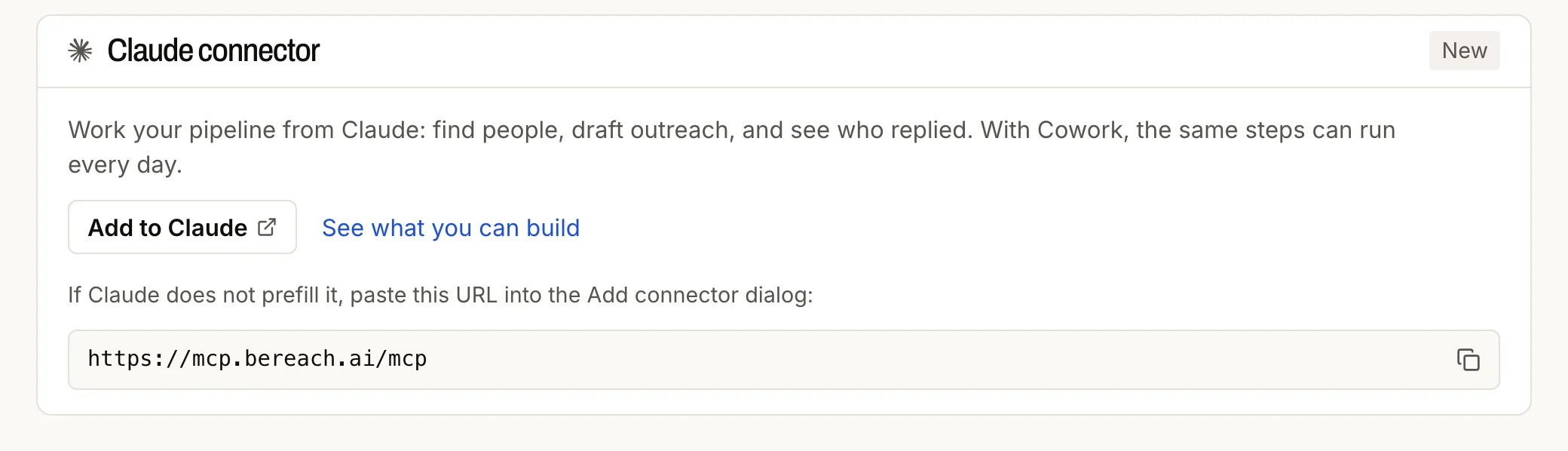
Add it from Settings → Claude connector (Add to Claude), or from the connector page. If Claude does not fill it in, paste https://mcp.bereach.ai/mcp into its Add connector dialog. It signs you in to your workspace once. Then start a new Claude conversation: an older one does not see the tools.
The same address works in ChatGPT and any other MCP client that supports remote servers with OAuth: add it as a connector there and sign in the same way.
The connector and API key need a paid plan or a running trial.
Tools
The 27 tools the connector gives Claude.
Without your LinkedIn account
Find
| Tool | What it does |
|---|---|
bereach_plan_searches | Turns who you sell to, in words or from a website, into a plan of searches. Free |
bereach_run_searches | Runs the plan you agreed to and saves the people found |
bereach_find_people | Finds a named person, or the people at named companies |
bereach_find_companies | Finds companies matching a description |
bereach_find_employees | People at one company |
bereach_find_posts | Posts on a topic, with who wrote each one and when |
Read
| Tool | What it does |
|---|---|
bereach_get_profile | Reads one profile |
bereach_get_company | Reads one company page |
Your list and outbox
| Tool | What it does |
|---|---|
bereach_cancel_scheduled | Takes a waiting message out of line |
bereach_outbox | Where each first message stands |
bereach_contacts | Searches your list |
bereach_contact_update | Changes one person on your list |
bereach_status | Your account, usage and what is being sent |
Notes
| Tool | What it does |
|---|---|
bereach_memory_list | Your saved notes: about you, ICP, voice |
bereach_memory_save | Saves one of those notes |
Through your LinkedIn account
| Tool | What it does |
|---|---|
bereach_collect_engagers | People who liked or commented on posts |
bereach_collect_posts | Recent posts of a person or company |
bereach_connect | Invites one person or many |
bereach_draft_dm | Writes a message without sending it |
bereach_approve_drafts | Approves or rejects waiting drafts |
bereach_schedule_drafts | Puts drafts in line to go out |
bereach_send_dm | Sends one message now |
bereach_inbox | Your recent conversations |
bereach_conversation | One conversation thread |
bereach_connections | Your connections, saved to your list |
bereach_recommended_people | People suggested to you, with the reason |
bereach_invitations | Invites sent and received |
bereach_collect_engagers also gives a preview of the top commenters without your account; saving the full list needs it.
API key
Once a LinkedIn account is connected: Settings → Accounts, that account's API key column, Generate. Copy it, then send it as a bearer token to https://api.bereach.ai. A first call that costs nothing:
curl -H "Authorization: Bearer $BEREACH_API_KEY" https://api.bereach.ai/me/credits
The key stays masked in Settings; open it to reveal or copy it again, or generate a new one to replace it (the old one stops working).
The key acts as that account in your workspace, so treat it like a password: keep it server side and out of git. A teammate who needs access gets a workspace invite, not your key.