
Drafts and your voice
How first messages get written, how you approve them in Drafts, and how your voice decides how they sound.
Write the first messages
- 1
Pick the people
In a chat's People panel, tick the people you want to reach and press Start outreach. A panel opens with each of them: the invite that goes first if you are not connected yet, and the first message that follows.
- 2
Set your voice, once
The first time, the panel has no messages yet. Press Write it in chat and Vera asks in the chat how your messages should sound. See Your voice.
- 3
Write and read
Press Write (it shows the count) and Vera writes one message for each person, opening on something they posted or did. Page through them in the panel: Rewrite or Skip any one, or Change in chat to adjust the voice. Rewrite all writes them again.
- 4
Approve
Approve all puts them in line: invites first, then each message once its person accepts. The clock at the bottom sets the hours they may leave. Or leave them, and approve one by one in Drafts.
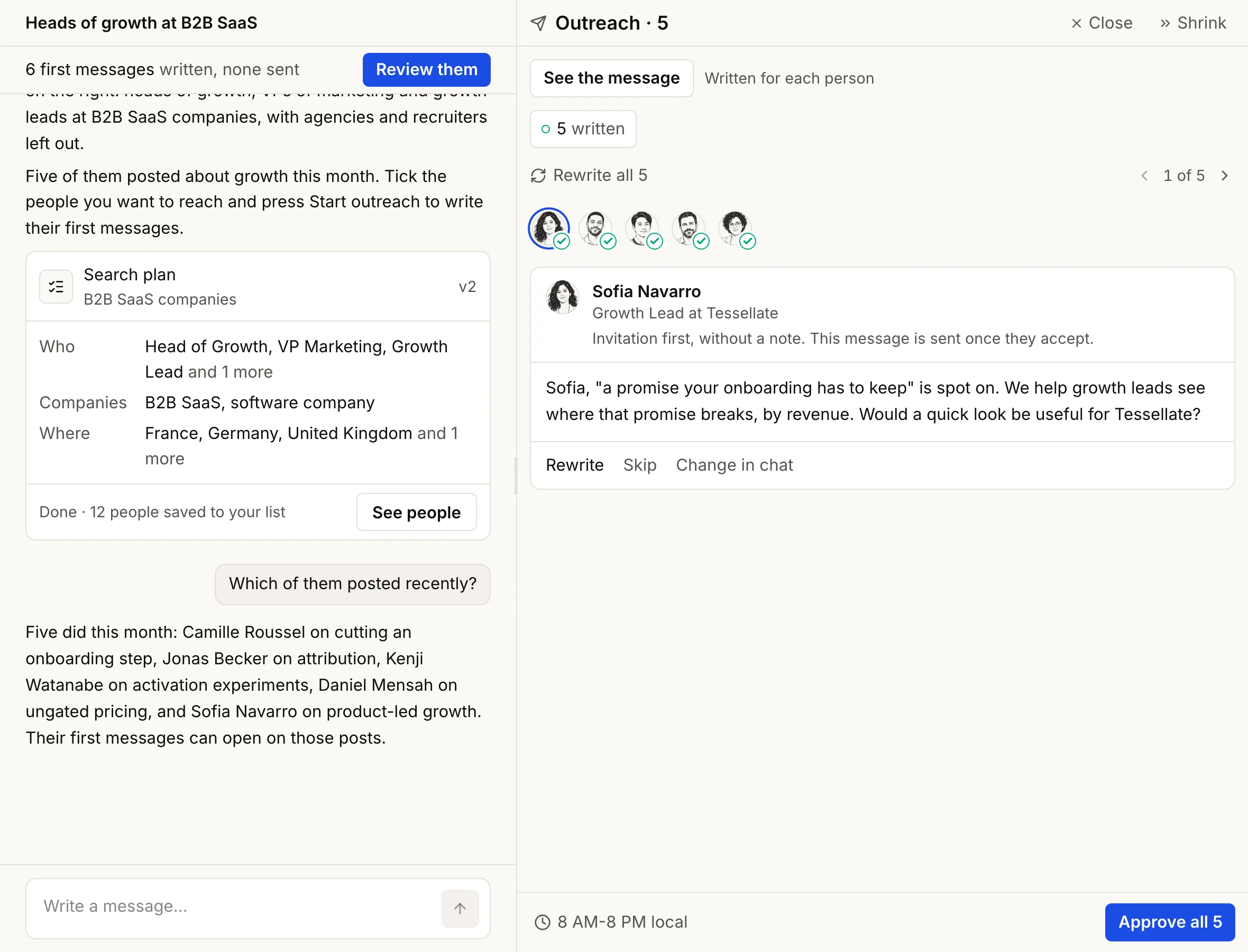
Your first run writes up to 5 messages with nothing connected. After that, writing needs your connected account.
Drafts
Every written message waits here until you approve it, and so does an invitation that goes with one. The number beside Drafts in the rail is how many wait for you. (Connect in the People panel puts invitations straight in line, without a draft.)
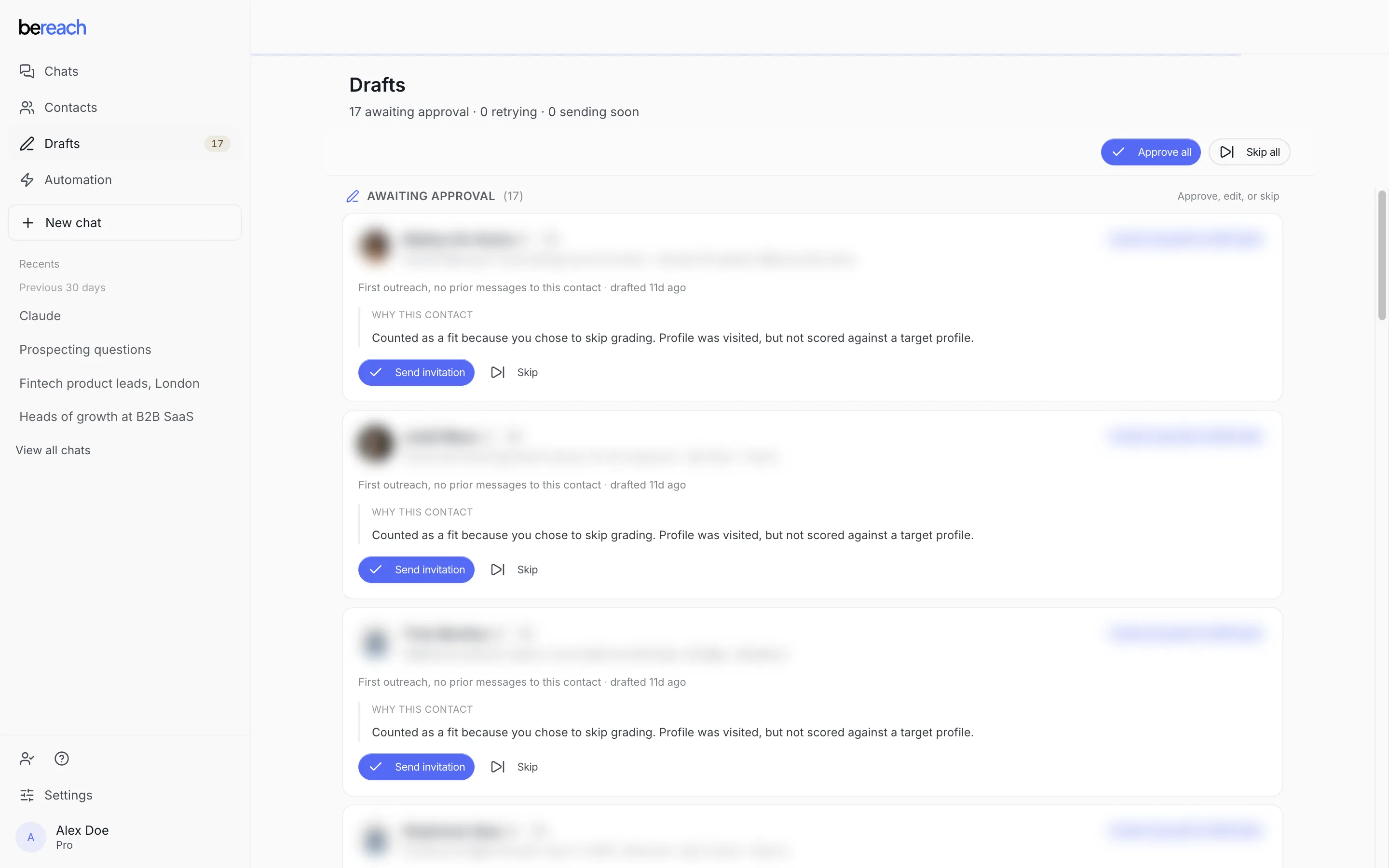
Read each message, then Approve or Don't send. The words can't be edited in the app: to change one, open Start outreach for that person, adjust your voice with Change in chat if you need to, and press Rewrite.
| Group | What approving does | Whole-group buttons |
|---|---|---|
| Ready to send | You are connected, so the message goes out | Approve all, Don't send any |
| Not connected yet | The invite goes first, the message follows once they accept | Approve all, Don't send any |
| Invitations | Sends the invite, with its note if it has one | Approve all, Don't send any |
| Read these first | Vera flagged something worth a look before it goes out in your name | Approve all anyway, Don't send any |
| Failed to send | Puts it back in line | Try all again, Delete all |
Below them, You approved is on its way (you can still press Don't send until it leaves), and Done is sent or stopped. How fast it leaves: Sending and pacing.
Your voice
Your voice is how your messages should sound: the angle, the tone, what to open on, what to avoid, and the language your recipients read. Answer Vera's questions, or just say it:
Short sentences, no hype. Open on what they posted, never on our funding.
It is saved under Settings → About you, so you can reuse it in any chat. Each voice writes in one language; for another language, save a second voice.
Change it anytime: new messages follow the new voice, and messages written before the change are flagged in the Start outreach panel, with a Rewrite button.