
Sending and pacing
What gets sent once you approve, how fast it leaves your account, and what can pause it.
What gets sent
One first message per person you pick. That is the whole flow.
- Not connected yet? A connection request goes first. Once they accept, the message you approved follows, 20 to 90 minutes later at the earliest, inside your sending hours.
- Already connected? The message goes once its turn comes.
No follow-up sequences, no auto-replies. Answer replies in LinkedIn's own messages. In Contacts, sort by Recently replied and open a person to read the thread.
How fast it leaves
Nothing goes out in a batch. Each invite and message leaves on its own, from your own account.
| What | When |
|---|---|
| Invites | 3 to 4.5 minutes apart (slower for a new or just reconnected account), 13:00 to 18:00 every day, in your country's time zone (New York for the US, Paris if we don't know your country or it is not on our list) |
| Messages | 3 to 4.5 minutes apart, from 08:00 to 20:00 Monday to Friday by default |
| Noticing an accepted invite | Within 30 minutes while your account sent an invite in the last day, within an hour while its newest invite is under a week old, within 6 hours after |
Change the message hours and days for a list with the clock button in the Start outreach panel. Approve at 9pm and a message leaves the next sending morning, an invite the next afternoon. That is normal. A new account with a small network also starts with fewer invites a week: see Credits and limits.
Where to watch it
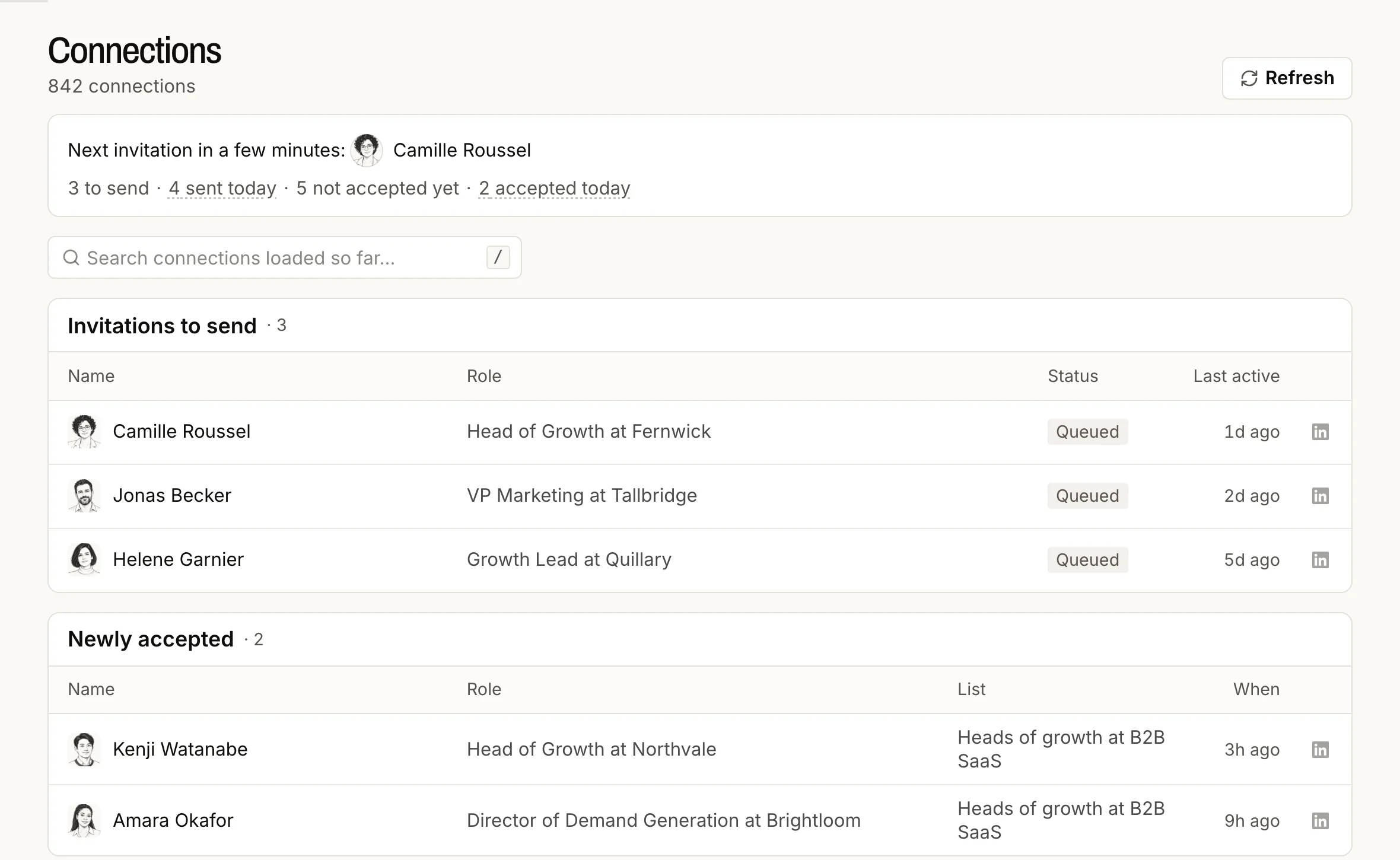
Connections, in the left rail, follows your invitations: how many wait to be sent, how many went today, who has not accepted yet, and anything that stops sending, with the way to fix it. Approved messages are followed in Drafts, under You approved.
What happens to a person
| Step | Waits on |
|---|---|
| Found and saved to your list | Nothing |
| Message written | Vera |
| Approved | You |
| Invited, then accepted | Them |
| Messaged | Pacing |
| Replied | Them |
Each person gets one thread. If another chat finds the same person, they never get a second first message. Once a reply is seen, any message still waiting for them is cancelled.
Stop or take back
- Before it leaves: press Don't send in Drafts, also under You approved, or Discard the person, which cancels anything still waiting for them.
- After it leaves: a sent invite or message can't be taken back from BeReach.
What pauses sending
| Cause | What stops, and until when | What keeps working |
|---|---|---|
| Signed out of LinkedIn | Invites and messages, until you reconnect | Finding people, reading profiles |
| LinkedIn asks for a security check | Invites and messages, until you clear it on LinkedIn and contact support | Finding people |
| LinkedIn's own invitation ceiling | Invites, until LinkedIn lifts it | Messages |
| A daily or weekly limit | Only that one action, until it resets | Everything else |
| Your credits run out | Work that spends credits, until the 1st or until you upgrade | Chatting, reading your drafts |
Nothing you approved needs approving twice.