
The app
Every place in BeReach, what it is for, and the words it uses.
The left rail
| Place | What it is for |
|---|---|
| Agents | Start Vera or Milo |
| Contacts | Everyone your chats found, and where each conversation stands |
| Drafts | Every message waiting for your approval. Its number is your to-do list. See Drafts |
| Connections | Your invitations and your network: what waits to be sent, what went today, who has not accepted, invitations you received, then your connections by date, and anything stopping invites |
| Help and guides | These docs |
| Settings | Your accounts, About you, your plan, your API key, the Claude connector |
Your chats are listed under New chat. View all chats opens every one.
A chat and its People panel
Each chat is one piece of work with Vera, and it keeps its own list in the People panel on the right. Once the chat has a search plan, the panel gets a second tab, ICP: see Your ICP.
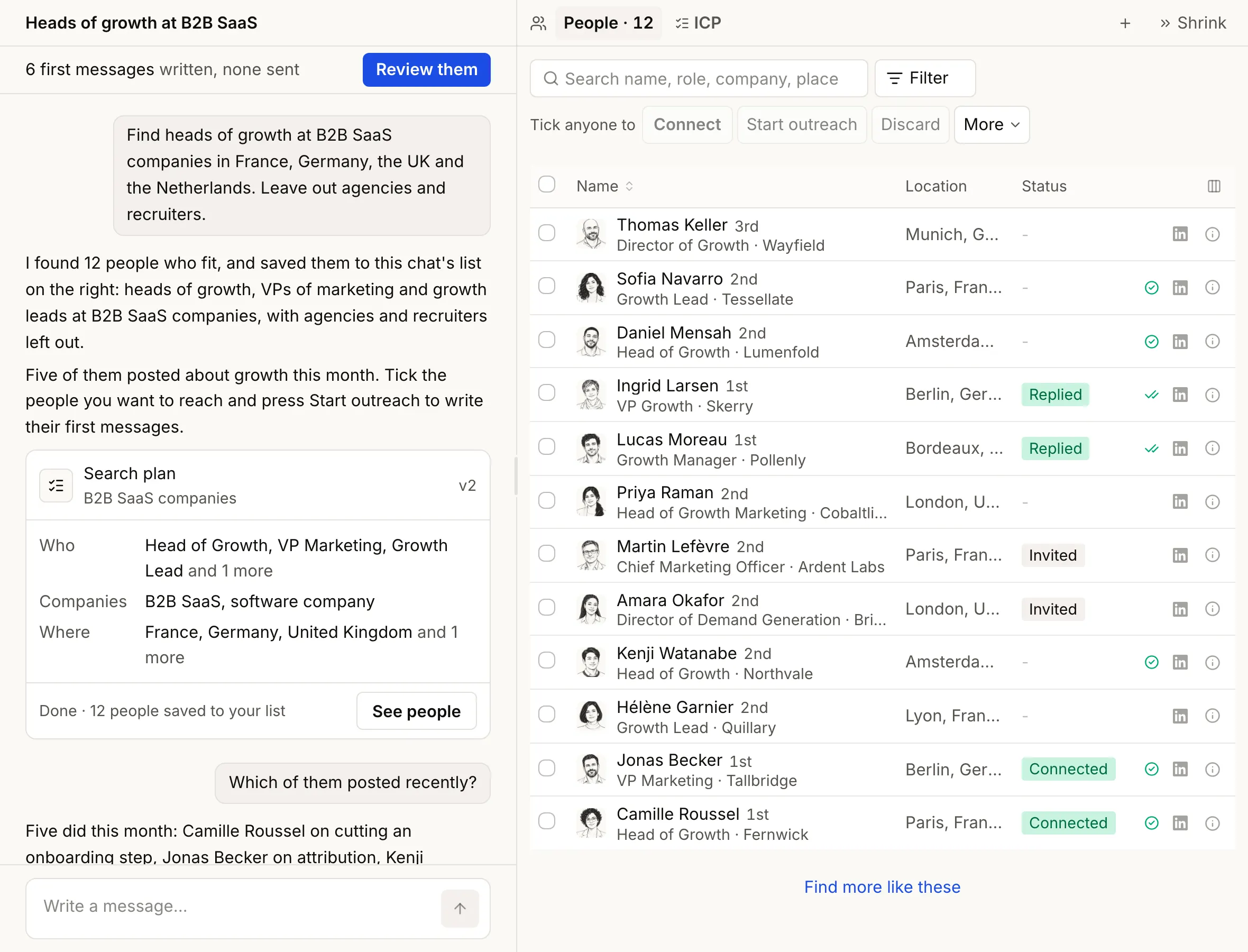
Tick people in the list, then pick what to do:
- Connect sends each of them an invitation, one at a time.
- Start outreach opens a panel where Vera writes their first messages and you read and approve them. See Drafts and your voice.
- Discard takes them off the list. Keep brings them back.
- More holds export and the rest.
Find more like these (the + beside People) looks for companies like the ones in your list, then people there in the same roles.
When written messages wait for you, a line at the top of the chat says so, such as "6 first messages written, none sent". Review them opens Drafts.
Contacts
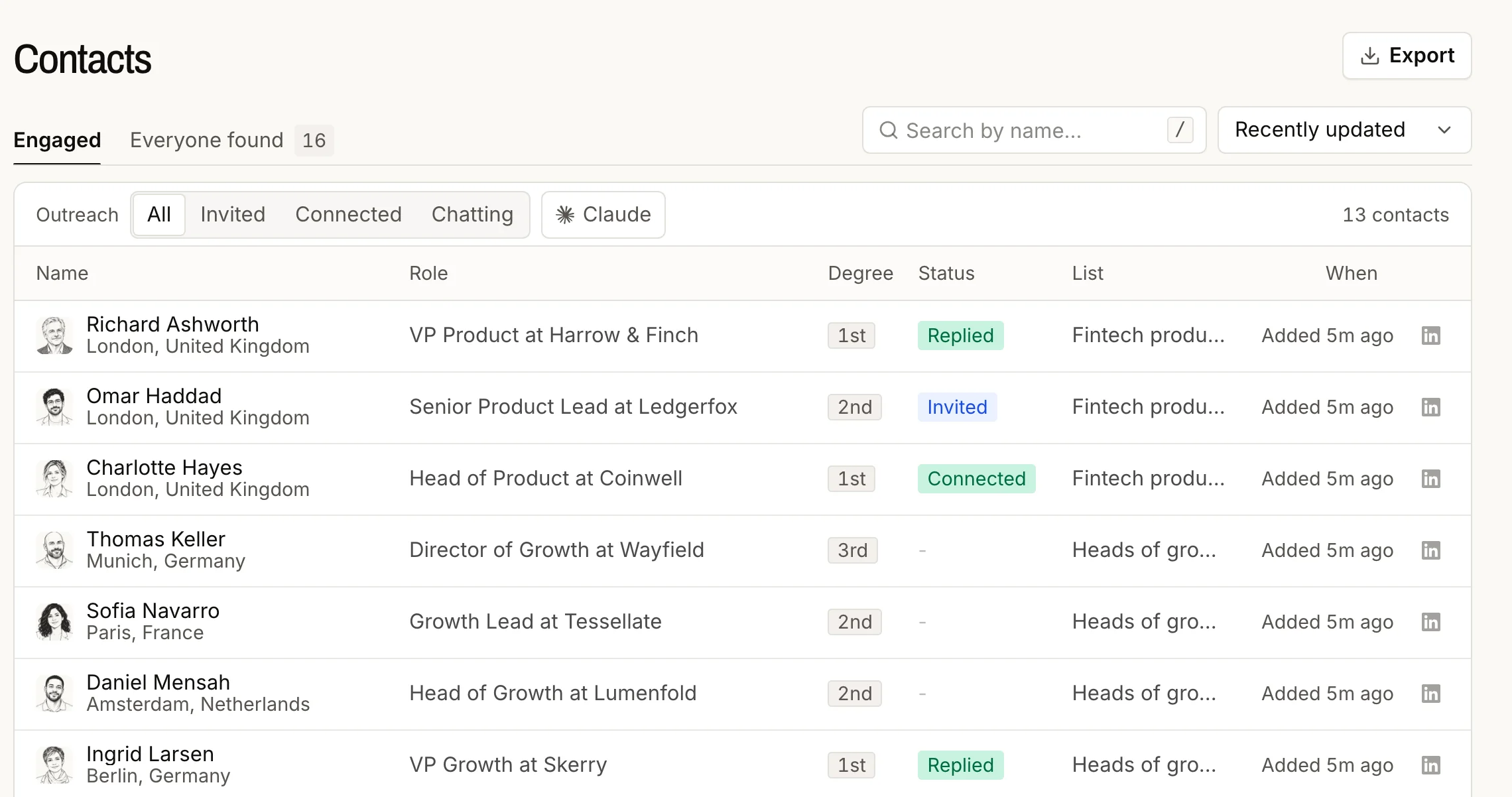
Everyone your chats found, in one place. Engaged shows the people outreach has started with, Everyone found shows all of them, and, once you have discarded someone, Removed. Filter by Invited, Connected or Chatting, sort by Recently replied, search by name, and export. Open a person to read your conversation with them.
Settings
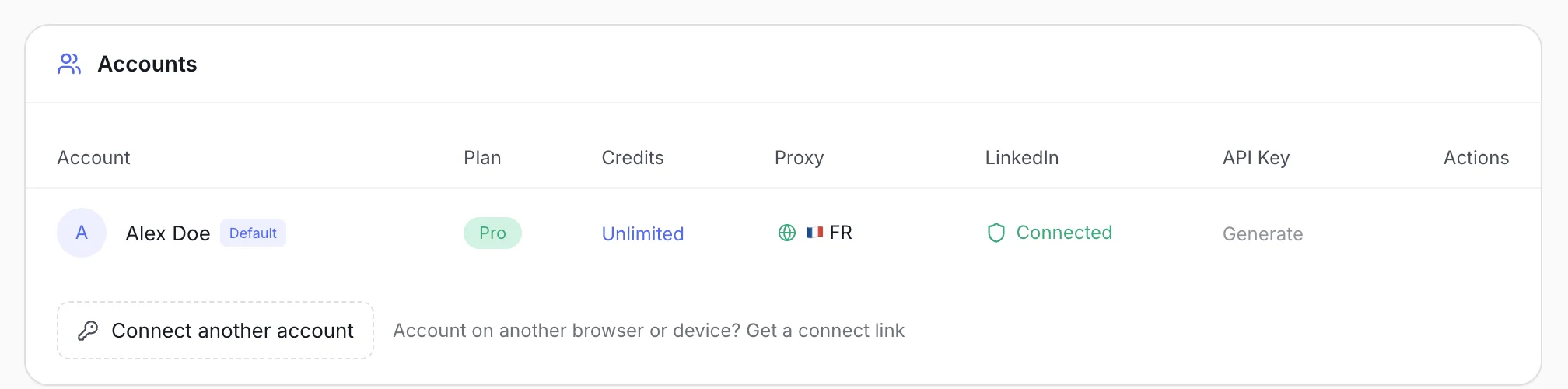
- Accounts: each connected LinkedIn account, its plan and status, its API key, Set as default, and Connect another account.
- About you: what you sell and who you are, written once and reused by every chat, plus your saved voices.
- Claude connector: add BeReach to Claude. See Claude and the API.
Glossary
| Word | Meaning |
|---|---|
| Search plan | The searches Vera runs for a chat: roles, kinds of company, places, who to leave out. The chat's ICP. |
| ICP | Who you want to reach. Shapes searches and messages, never removes anyone from your list. |
| Voice | How your messages should sound. Saved under About you, reusable in any chat. |
| Draft | A message waiting for your approval. It is not sent until you approve it. |
| First message | The one opening message a person gets. |
| Invited | A connection request has gone out. |
| Connected | They accepted, or you were already connected. |
| Chatting | A message went out, or they replied. |
| Removed | Someone you discarded. Never contacted, never added back by a later search. Keep brings them back. |
| Credit | One action done for you. See Credits and limits. |
| Public data | What anyone can read on the open web: profiles, company pages, posts. Used with nothing connected. |