
Your ICP
Your ICP is who you want to reach, in one line you can change: the job, the kind of company, the place.
One line you can change
Type your website or one sentence: Vera writes back who you want to reach, and finds them.
Find my first leads- 1
My website
Type it, or press Describe them and say who you want.
- 2
Your ideal customer
Change the job, the kind of company or the place.
- 3
Your leads
Tick the people you want to keep.
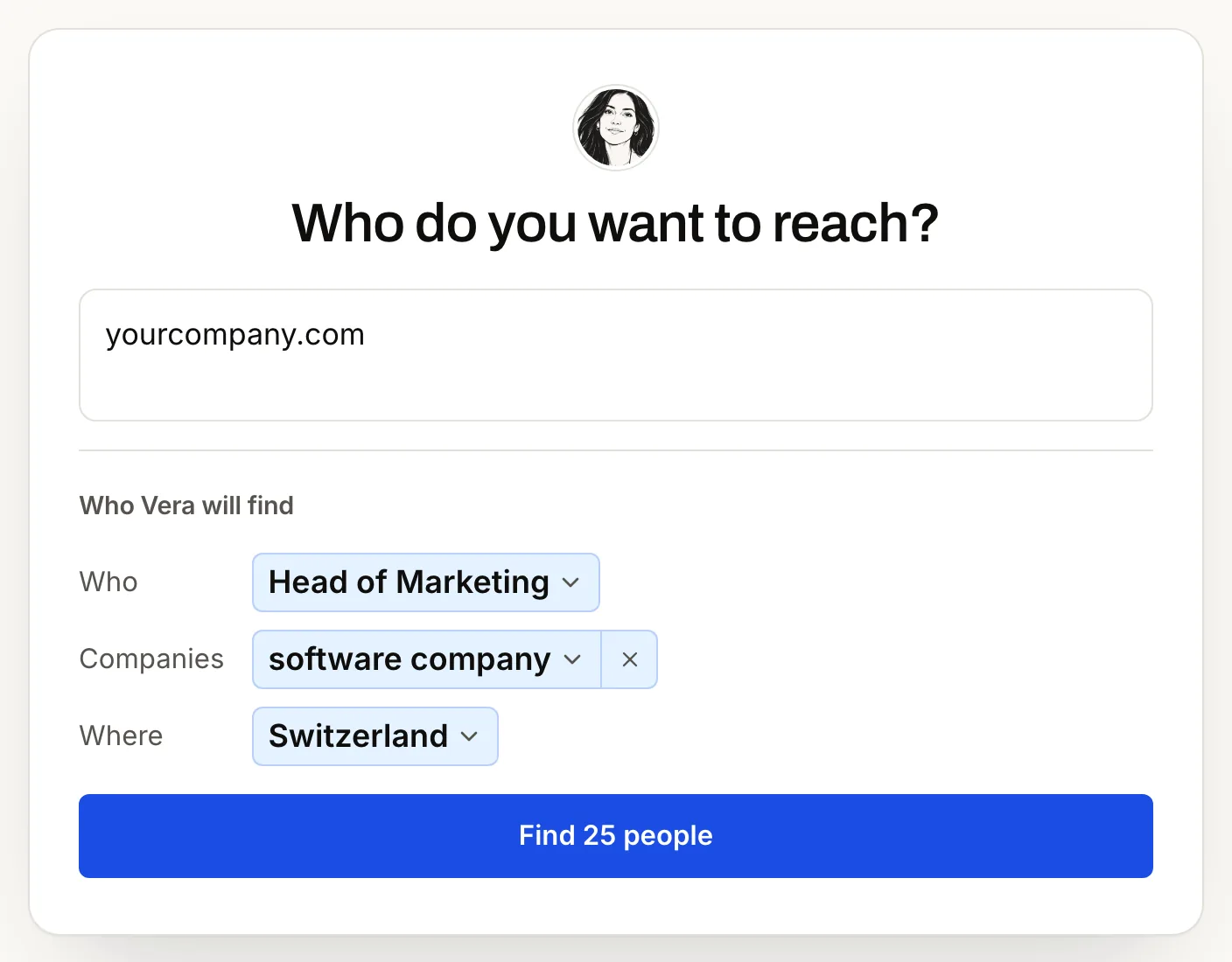
That line is your ICP, your ideal customer profile. In the app, New search shows it as Who Vera will find: Who, Companies, Where.
Change it later
Press the search sentence at the top of a list, change the words, and the next people follow them. The people already in your list stay. In Claude or ChatGPT, say the change in a sentence.
Your ICP never scores, hides or removes anyone. Want a score anyway? Enrich → Score fit, only when you ask.
Ask well
- Say who to leave out: recruiters, agencies, freelancers.
- Describe the role, not the exact title.
- Name the kind of company and its size.
- Name the places. Each market is searched in its own languages, English included.
Heads of operations at mid-sized logistics companies in Germany and the Netherlands.
Leave out recruiters, agencies and freelancers.
Other ways to find people: where people come from. Nobody came back? See No people came back.