
Live chats and runs
What Live means on a chat, why the first pass only checks a handful of people, and what pauses or resumes the work.
A chat is where you decide what to do. A run is the work itself, carried out in the background against a fixed list of people. Knowing the difference explains most of what looks surprising early on.
The first pass is a taster, on purpose
The first time you ask the agent to qualify people in a chat, it does not grade the whole list. It grades a small sample, between three and six people, strongest first.
That is deliberate. You get real verdicts in about a minute, with real reasons you can argue with, instead of waiting on a long run built from an ICP that might still be wrong. Correcting the profile after six people costs you nothing. Correcting it after three hundred costs you three hundred profile reads.
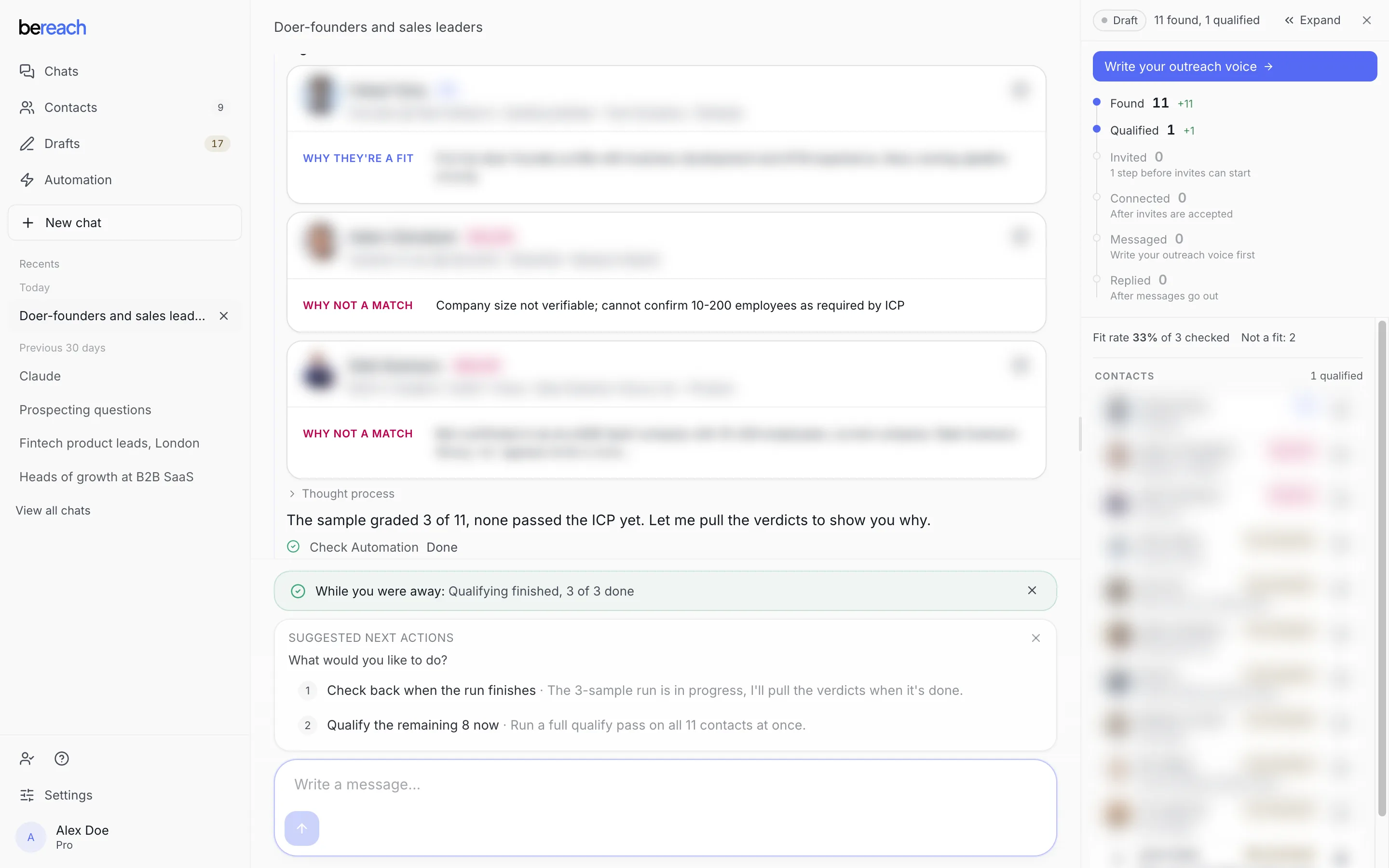
Identities are blurred here. The verdicts and counts are real.
When the sample looks right, take the offer the agent makes, or say so yourself:
Those verdicts look right. Qualify the rest.
You can also name your own number, and that number is honoured exactly:
Qualify the next 10.
A run that stopped at its sample also carries a Continue control, which processes the rest of the same list without starting a new run.
This is the answer to 'why only three?'
A short first result is the sample, not a failure and not a limit on your plan. Ask for the rest and you get the rest.
What Live means
A chat is Live when it keeps working without you sitting in it. It pulls new people from the sources you pointed it at, qualifies them against your ideal customer, and lines up drafts.
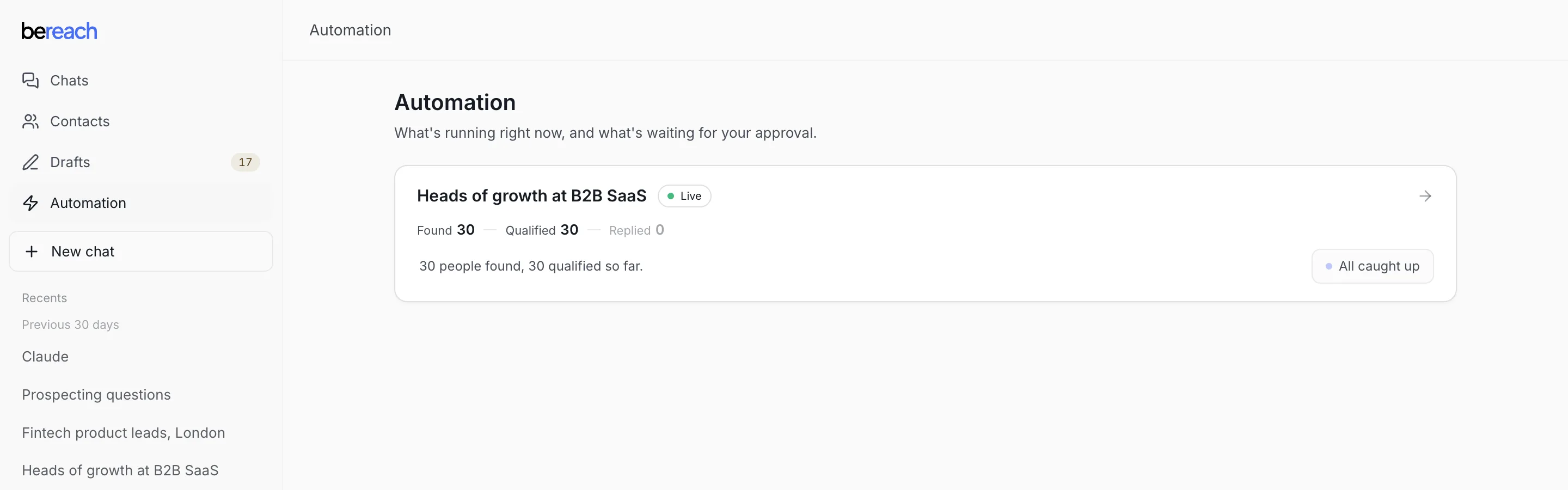
Live does not mean sending. Nothing leaves your account that you have not approved, whether the chat is Live or not. Live only means the finding, qualifying and drafting keep going.
Automation is where every Live chat is listed together, so you can see what is running and what is waiting for you without opening each chat.
What pauses the work
| Cause | What stops | What still runs |
|---|---|---|
| You turn the chat off | Everything in that chat | Other chats |
| Your session expires | Invites and messages | Finding and qualifying, which never needed your account |
| A daily limit is reached | Only that one action | Every other action |
| Your plan ends | Anything acting through your account | Your workspace and history stay |
Hitting a daily limit pauses that action alone. Running out of connection requests does not stop the agent from finding and qualifying people, so a Live chat that has hit its invite cap still builds your list overnight.
What resumes it
Most of it resumes on its own. A daily limit clears the next day and the chat picks up where it left off, with its list, drafts and history intact. An expired session resumes the moment you paste a fresh one. A chat you turned off resumes when you turn it back on.
Nothing you already approved needs approving twice.
Why a run does not restart itself
A run works a list that is fixed when it starts. People found after that are not silently added to a run already in flight, they are picked up by the next one. That is what makes a run's count trustworthy: when it says thirty people, it means those thirty, not thirty plus whatever arrived since.
If someone changes underneath a run, for example they get qualified by another chat first, they are dropped from that run with a reason rather than acted on twice.